Most SEO teams waste 10+ hours every week on tasks a tool could handle in minutes. Automated SEO is the practice of using AI-powered software to execute repetitive data heavy SEO tasks like rank tracking technical audits, keyword clustering and reporting without doing them manually.
It doesn’t replace your strategy; it removes the busywork so you can focus on the decisions that actually move rankings. Done right it cuts labor costs by up to 35% and keeps your site optimized around the clock.
This guide covers exactly what to automate, what not to touch, the best tools for every budget and the risks that quietly destroy rankings when automation goes wrong.
What Is Automated SEO?
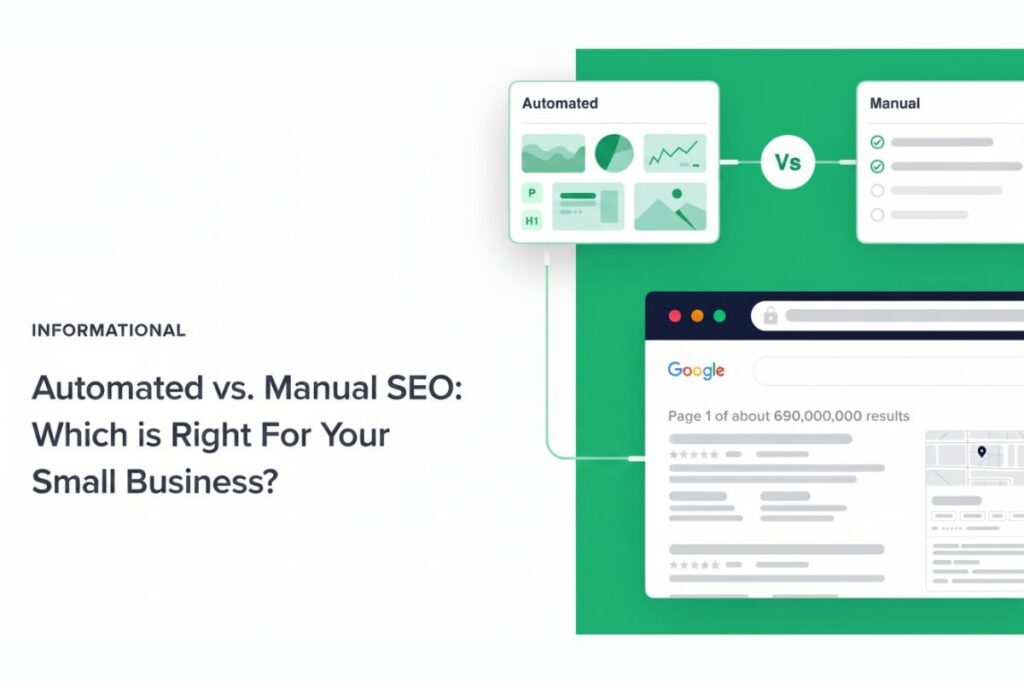
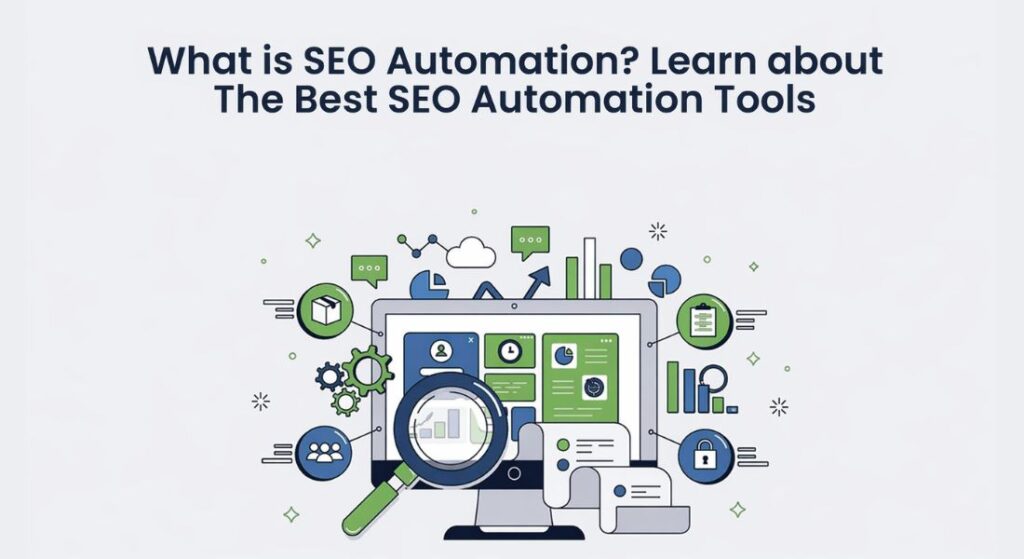
Automated SEO is the process of using AI-powered tools and software to handle repetitive data-heavy SEO tasks without doing them manually one by one.
The keyword here is repetitive. Things like crawling your site for broken links, monitoring keyword rankings, generating content briefs and building SEO reports these follow clear repeatable rules. They’re perfect for automation.
What automation doesn’t replace is your judgment. Deciding which keywords matter for your business, how to position your content against competitors and what angle will actually resonate with your audience that’s still human work. Think of it this way: automation handles the doing. You handle the thinking.
Which SEO Tasks Should You Automate?
Not everything in SEO belongs on autopilot. Here’s the clearest breakdown of what works and what doesn’t.
Tasks That Are Ready to Automate
These are rule-based repetitive and don’t require creative judgment:
Keyword research and clustering: Tools can pull thousands of long tail keywords, group them by search intent and map them to topic clusters automatically. What used to take hours in a spreadsheet now takes minutes.
Technical site audits: Schedule automated crawls to catch broken links missing meta tags, slow page speeds, duplicate content and crawl errors before they become ranking problems.
Rank tracking and SERP monitoring: Daily position monitoring across hundreds of keywords including tracking your visibility in Google AI Overviews, ChatGPT search and Perplexity.
Content decay detection: Identifying pages that are quietly losing traffic and rankings before they fall off page one. Automation catches this continuously instead of waiting for your quarterly review.
On-page optimization checks: Automated scoring and recommendations for meta titles header structure internal linking opportunities schema markup and readability.
SEO reporting and dashboards: Automated reports that pull from Google Search Console, Analytics and your rank tracker into a single live dashboard for yourself or for clients.
SERP scraping and competitor analysis: Pulling competitor keyword data backlink profiles and content gaps at scale.
Tasks You Should Never Fully Automate
These require human experience brand voice and genuine expertise:
Core keyword strategy: Which keywords actually matter for your business goals is a strategic decision. AI can surface opportunities but you make the call.
Publishing AI-generated content without editing: Google’s Helpful Content system is specifically built to detect thin low-value AI content at scale. Unedited AI articles hurt your entire site’s rankings, not just individual pages.
Backlink building through automation: Automated link building triggers spam filters and risks manual penalties. Quality link building is still a human relationship-driven process.
Brand positioning and content differentiation: Your unique perspective first-hand experience and genuine expertise are exactly what Google’s E-E-A-T guidelines reward. AI can’t replicate this at scale.
Technical SEO decisions on JavaScript-heavy sites: Automated tools can flag issues but fixing rendering problems on complex JS frameworks requires developer judgment.
The Best Free Automation Stack (Zero Budget)
You don’t need to spend hundreds of dollars a month to start. These free tools together cover most of the basics:
| Tool | What It Automates |
| Google Search Console | Rank tracking crawl errors performance data |
| Looker Studio | Automated SEO dashboards and client reports |
| ChatGPT (free tier) | Content briefs keyword clustering FAQ generation |
| Google Sheets | Keyword analysis data organization with formulas |
| RankMath (WordPress) | On-page optimization suggestions schema automation |
How to use this stack together:
- Connect Search Console to Looker Studio → get an automated weekly performance report without touching a spreadsheet
- Export your target keywords → paste into ChatGPT → ask it to cluster by topic and search intent
- Use RankMath on every new post → follow its automated on-page checklist before publishing
- Check Search Console weekly for crawl errors → fix manually
This workflow alone saves 5–8 hours per week before you spend a single dollar.
Best Paid SEO Automation Tools in 2026
For Content Optimization
Surfer SEO / Surfer AI: You give it a keyword and it analyzes what’s already ranking to tell you the ideal word count semantic terms to include heading structure and content score.
The AI writing assistant helps you write faster, not think less. Integrates directly with Google Docs and WordPress. Best for: teams that write their own content and want data-backed optimization built into the process.
Clearscope: The strongest tool for content maintenance automation. It connects to Search Console and continuously monitors your existing pages for content decay. Instead of manually comparing date ranges every quarter Clearscope flags declining pages automatically. Best for: sites with large content libraries that need regular refreshing.
For Technical SEO Automation
Alli AI: Install one code snippet and deploy on-page optimizations across hundreds of pages with a few clicks: meta tags schema markup internal links. Its standout feature in 2026 is AI Crawler Enablement which serves pre-rendered HTML to AI crawlers from ChatGPT, Perplexity and other AI search engines making JavaScript-heavy sites fully accessible to AI discovery. Best for: large sites and agencies managing multiple clients.
OTTO SEO (Search Atlas): One of the most ambitious automation tools available. It acts as an AI agent that handles technical fixes on-page optimizations, content creation and even automated link building through its WILDFIRE backlink system.
Connects directly with Google Analytics and Search Console to power decisions with your actual data. Best for: teams that want a single AI agent handling most of their SEO operations.
ContentKing: A 24/7 real-time monitoring tool that alerts you the moment something breaks: a page gets de-indexed, a meta title disappears, a redirect breaks. It’s an alarm system for your technical SEO not an optimization tool. Best for: larger sites where silent technical issues can mean significant traffic losses.
Screaming Frog SEO Spider: The industry standard for scheduled site crawls. You can configure it to run automatically on a daily weekly or monthly schedule and export reports directly after each crawl. Best for: teams that want granular control over their crawl data.
For Workflow Automation
Gumloop: Where serious SEO automation happens. You build no-code AI workflows that connect your tools together. Example: enter a keyword → Gumloop scrapes the top 10 SERP results → pulls SEO metrics from Semrush → sends a formatted competitive analysis to your Google Sheet. What used to take 2 hours takes 3 minutes. No coding required. Best for: anyone who wants to build custom automation without engineering resources.
n8n: Similar to Gumloop but better for slightly more technical users who want self-hosted automation and JavaScript flexibility. Thousands of community workflow templates available. Best for: technical marketers and developers who want full control over their automation stack.
For Rank Tracking and AI Visibility
SE Ranking The best value all-in-one platform for agencies and in-house teams. Automates rank tracking technical audits and competitor analysis. Its AI Visibility Tracker specifically monitors your presence in Google AI Overviews, a critical metric in 2026 as AI Overviews now appear on 30–40% of searches. Best for: agencies that need to report on both traditional rankings and AI search visibility.
Tool Stacks by Budget
Stop picking tools one by one. Pick a stack built to work together.
Starter Stack ($100–200/month) SE Ranking + RankMath (free) + ChatGPT Plus + Looker Studio (free) Best for: solo marketers small blogs freelancers
Growth Stack ($300–500/month) Surfer AI + Clearscope + SE Ranking + Gumloop Best for: content teams small agencies growing e-commerce sites
Scale Stack ($600+/month) Alli AI + ContentKing + SE Ranking + Gumloop + Clearscope Best for: large sites agencies managing multiple clients enterprise teams
How to Build Your First Automated SEO Workflow?
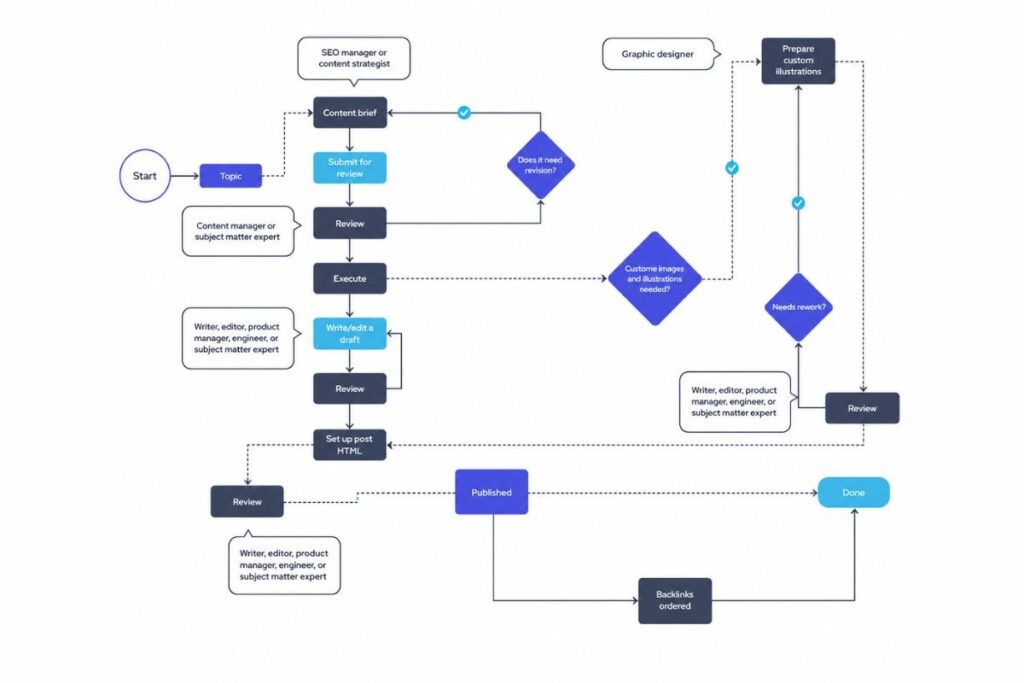
Here’s a practical workflow you can set up this week:
Step 1: Automate your keyword gap analysis:
Use ChatGPT or a tool like Frase to compare your content against 3–4 competitors. Input your domain and their URLs. Ask it to identify keywords they rank for that you don’t. This surfaces your biggest content opportunities without hours of manual research.
Step 2: Generate automated content briefs:
Feed your target keyword into Surfer AI or Frase. It outputs a data-backed brief: recommended word count semantic keywords to include heading structure related questions to answer. This replaces 2–3 hours of manual competitor research per article.
Step 3: Automate on-page optimization checks:
RankMath or Alli AI runs automated checks on every page you publish meta titles schema internal link suggestions readability scores. You get a live optimization score as you write or edit.
Step 4: Set up automated monitoring:
SE Ranking for rank tracking. ContentKing for real-time technical alerts. Search Console connected to Looker Studio for automated performance reporting. Once this is set up you get alerted when something breaks or drops instead of discovering it weeks later.
Step 5: Automate content decay detection:
Clearscope continuously monitors your existing pages. When a page starts losing rankings it flags it automatically. You handle the content refresh and the detection is done for you.
The Automation Risks Nobody Talks About
This is the section most articles skip. These risks are real and they can quietly destroy rankings if you move too fast.
Thin content at scale
Automating content creation without proper human editing produces pages that look like content but don’t answer real questions. Google’s Helpful Content system targets this pattern specifically. The result is often a site-wide ranking drop, not just individual page penalties.
Over-optimized meta tags
Some tools automatically rewrite meta titles across your entire site. If the algorithm makes poor decisions at scale you can lose click-through rates on hundreds of pages overnight before you notice. Always review automated meta tag changes in batches before deploying site-wide.
JavaScript injection issues
Tools like Alli AI and OTTO SEO inject changes via JavaScript. If your subscription lapses or the script conflicts with your CMS those optimizations disappear. Some tools reverse all changes on cancellation and understand this before you commit. (OTTO SEO’s “Deep Freeze” feature preserves changes for an extra fee.)
Ignoring AI search visibility
Traditional SEO automation focuses only on Google’s blue links. In 2026 AI Overviews ChatGPT search and Perplexity are sending meaningful traffic. If your automation doesn’t account for AEO (Answer Engine Optimization) and GEO (Generative Engine Optimization) you’re optimizing for last year’s search landscape.
Automating your E-E-A-T signals away
The marketers winning in SEO right now publish content with genuine expertise, personal experience and original perspective. Fully automated content strips all of this out. Google’s E-E-A-T guidelines explicitly reward experience and expertise neither of which AI can fake convincingly at scale.
Inaccurate data leading to bad decisions
Automation tools are not infallible. Over-relying on automated recommendations without critical review leads to optimizing based on flawed data. Always sanity-check automated insights against raw Search Console data.
How to Audit Your Automation
Setting up automation and walking away is how you create problems you don’t notice for months. Build a monthly audit into your workflow:
- Check automated meta tags: Are they logical? Is any text truncating awkwardly? Do they accurately reflect the page?
- Validate AI-generated schema with Google’s Rich Results Test
- Compare automated report data against raw Search Console numbers do they align?
- Review pages published with AI assistance is the tone consistent with your brand and expertise?
- Check automated internal links are they contextually relevant or just keyword-matched?
- Review rank tracking alerts: are you actually responding to drops or just collecting data?
One hour per month on this audit prevents months of invisible ranking damage.
Automated SEO for AI Search in 2026
This is the newest and most important layer and most tools haven’t fully caught up yet.
Google AI Overviews now appear on 30–40% of searches. ChatGPT has web search. Perplexity is growing fast. These AI systems read and evaluate content differently than traditional crawlers.
What this means for your automation setup:
Make your site accessible to AI crawlers
Alli AI’s AI Crawler Enablement and OTTO SEO’s rendering features solve this for JavaScript-heavy sites that AI bots can’t read.
Structured content to answer specific questions directly
AI systems strongly favor clear factual well-structured content. Content that answers a question in the first sentence performs better in AI-generated responses.
Track AI search visibility separately
SE Ranking’s AI Visibility Tracker monitors your presence in Google AI Overviews. This is a separate metric from traditional rankings and needs separate tracking.
Use structured data
FAQ schema, HowTo schema and Article schema help AI systems extract and cite your content in their answers.
Optimize for topical authority
AI search rewards sites with deep comprehensive coverage of a topic. Automated keyword clustering and content gap analysis help you build this systematically.
Quick Decision Framework: Which Tool to Start With
- Biggest bottleneck is producing enough content → Surfer AI for optimization + automated content briefs
- Biggest bottleneck is finding and fixing technical issues → ContentKing for monitoring + Alli AI or OTTO SEO for automated fixes
- Biggest bottleneck is reporting to clients → SE Ranking + Looker Studio
- Managing multiple sites → Alli AI + SE Ranking together handle scale well
- Want to build custom workflows without code → Gumloop is the best starting point
- Starting from zero with no budget → Free stack: Search Console + Looker Studio + RankMath + ChatGPT
Can automated SEO get my site penalized?
Yes, but only when misused. Publishing unedited AI content automating spammy backlinks or mass-deploying poor meta tags can all trigger penalties. When used correctly for monitoring reporting and workflow automation it’s completely safe and improves consistency. The key is always keeping a human in the loop for quality control.
What’s the difference between SEO automation tools and traditional SEO tools?
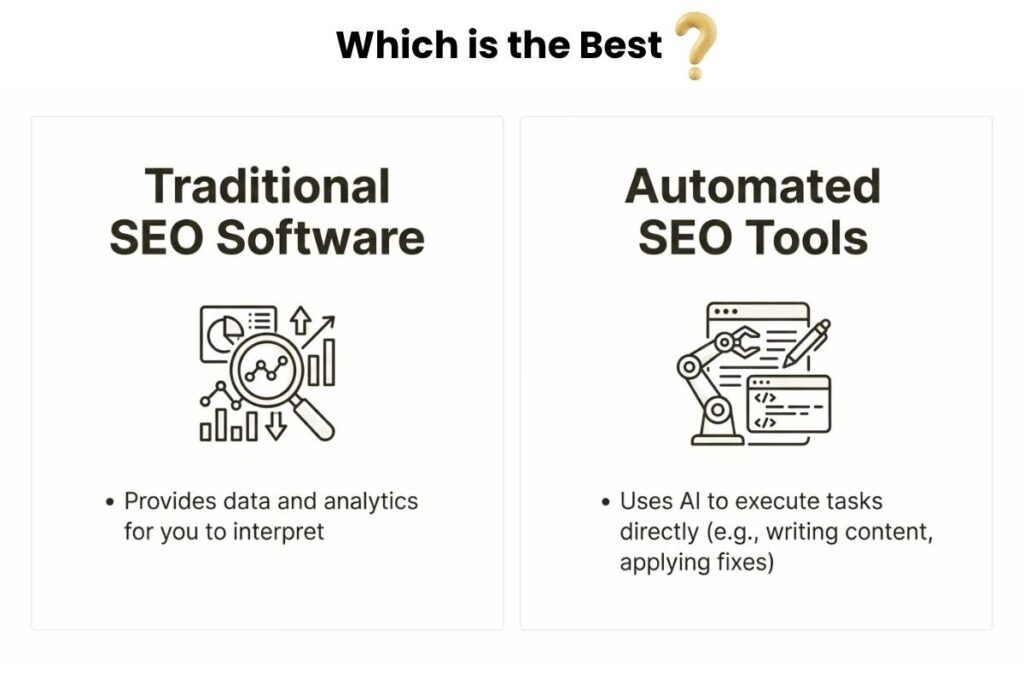
Traditional tools like Ahrefs and Semrush give you data that you analyze and act on manually. Automation tools go further; they execute tasks like on-page optimization rank monitoring and reporting automatically without requiring you to log in and take action each time.
Do I need coding skills?
No. Tools like Gumloop, RankMath and Alli AI are designed for non-technical users. You can build workflows, optimize pages and manage complex SEO operations without writing a single line of code.
How long until I see results?
Technical fixes and on-page improvements can show results within a few weeks. Content-related improvements typically take 3–6 months depending on competition and keyword difficulty. Automation speeds up the execution; it doesn’t change how long Google takes to respond.
Is automated SEO worth it for small sites?
Yes, especially for small sites. Every hour you save on repetitive tasks like rank tracking error monitoring and content briefs is an hour you can spend on strategy and content quality. Start with the free stack. The advantage is real before you spend anything.