Adding SEO keywords in WordPress is not just about inserting a few words into your content. It is about placing the right keywords in the right locations so search engines and users instantly understand your page. When done correctly, it improves visibility, boosts click-through rates, and drives targeted traffic.
Most WordPress users struggle because they either overuse keywords or place them incorrectly. This leads to poor rankings even if the content is valuable. The real difference comes from strategic placement and intent matching.
In this guide, you will learn exactly where and how to add SEO keywords in WordPress using proven methods. By the end, you will know how to structure your content so it ranks faster and attracts the right audience.
What is Adding SEO Keywords in WordPress and Why Does It Matters?
Adding SEO keywords in WordPress means placing your target keywords in titles, URLs, headings, content and meta descriptions so search engines understand and rank your page. Proper keyword placement improves visibility, increases click-through rates and drives targeted traffic.
Keywords act as signals. When you place them correctly in titles, URLs, headings, and content, you help search engines connect your page with user intent. This increases your chances of appearing on search engine results pages.
However, modern SEO is not about stuffing keywords. It is about using a focus key phrase and supporting terms naturally. Tools like Yoast SEO and All in One SEO help analyze this process and guide you toward better optimization.
Understanding SEO Keywords and Search Intent
SEO keywords are the exact words and phrases users type into search engines. These can be short phrases or long-tail queries like “how to add SEO keywords in WordPress.”
Search intent plays a critical role here. If someone searches for this keyword, they want a step-by-step guide, not just theory. That is why your content must clearly show how to perform the task.
Why Proper Keyword Placement Improves Rankings?
When you place keywords correctly, you create clarity. Search engines quickly understand your page, and users immediately see that your content answers their question.
This leads to better rankings, higher click-through rates, and longer time spent on your page. It also improves user experience because your content directly matches what people are searching for.
How to Add SEO Keywords in WordPress Step by Step?
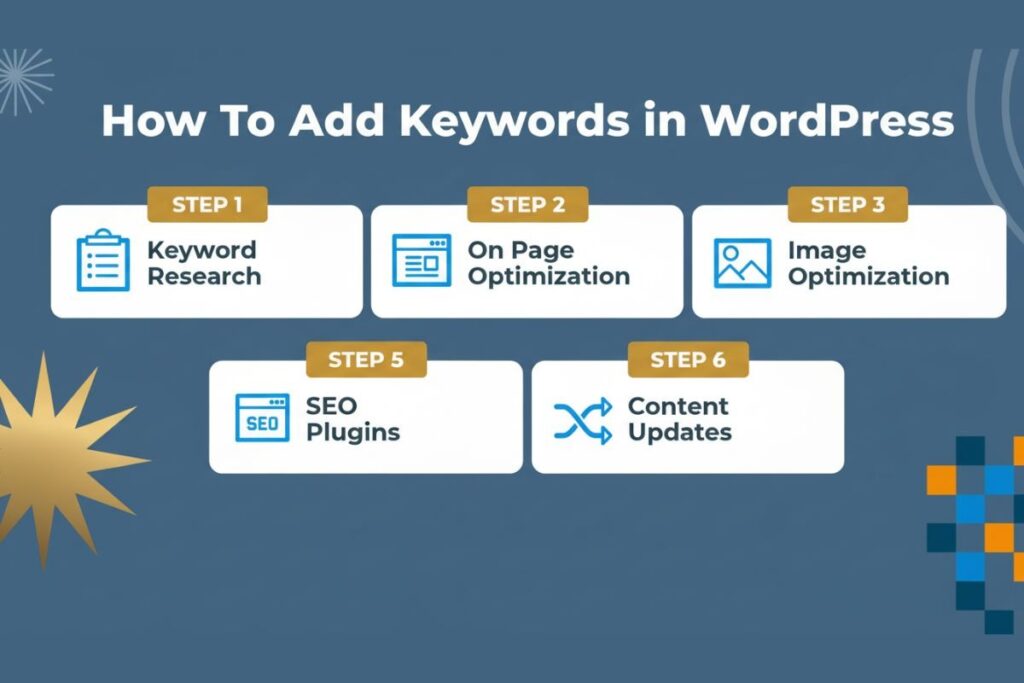
To rank effectively, you must place your keyword in specific areas of your WordPress page. Each placement sends a different signal to search engines.
Adding Keywords in the Title and SEO Title
Your title is the first thing users see on search results. It must include your main keyword naturally.
Place your keyword at the beginning whenever possible. This helps both users and search engines understand your topic instantly. Keep your title clear and within the recommended length so it does not get cut off.
Adding Keywords in the URL Slug
Your URL appears directly below the title in search results. A clean URL improves trust and clarity.
Edit your WordPress permalink and include your keyword. Remove unnecessary words and keep it short. A simple, keyword-focused URL performs better than a long and complex one.
Adding Keywords in Meta Description
Your meta description works like an advertisement for your page. While it does not directly impact rankings, it strongly affects click-through rates.
Write a clear description within 150–160 characters. Include your keyword early and make it compelling so users want to click your result instead of others.
Adding Keywords in Headings (H1, H2, H3)
Headings structure your content and make it easier to read. They also help search engines understand the context of your page.
Include your main keyword in your H1 and use variations in H2 and H3 headings. Avoid forcing the keyword into every heading. Keep it natural and relevant.
Adding Keywords in the First Paragraph and Content Body
Your introduction sets the tone. Include your keyword within the first few lines so users immediately know they are in the right place.
In the body content, use your keyword naturally along with related terms. Avoid repetition. Instead, use variations and semantic phrases that support your main topic.
Adding Keywords in Image Alt Text
Images also contribute to SEO. Search engines cannot see images, so they rely on alt text to understand them.
Add descriptive alt text and include your keyword only when it fits naturally. This improves accessibility and helps your content rank in image search results.
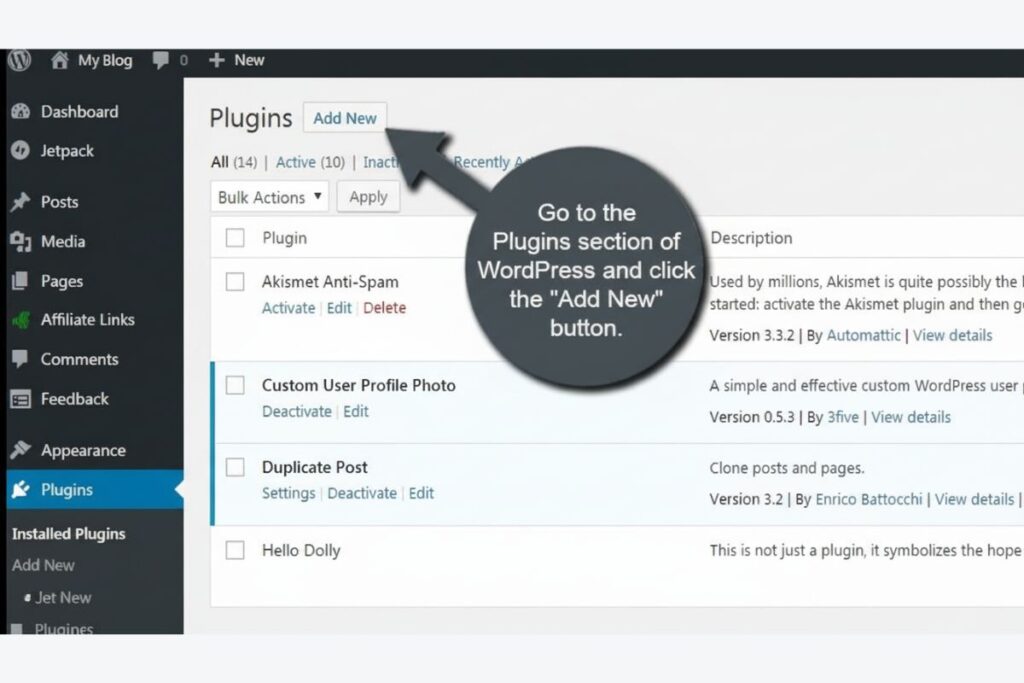
How to Add SEO Keywords Using WordPress SEO Plugins?
Using a plugin makes keyword optimization easier and more efficient. Most beginners prefer this method because it simplifies the process.
Using Yoast SEO for Keyword Optimization
This plugin allows you to set a focus keyphrase for each post. It analyzes your content and shows where you need improvement.
You can check if your keyword appears in the title, meta description, headings, and content. It also provides suggestions to improve readability and SEO structure.
Using All in One SEO for Easy Setup
This plugin offers a user-friendly interface and powerful features. You can add keywords, edit meta descriptions, and preview how your page will appear in search results.
It also includes tools like XML sitemaps and keyword tracking, which help you monitor performance over time.
Why Plugins Improve Consistency and Speed?
Plugins ensure you follow best practices every time you publish content. They reduce manual effort and help maintain consistency across your website.
They also provide real-time feedback, which helps you avoid mistakes and improve optimization instantly.
Keyword Placement Best Practices for Higher Rankings
Adding keywords is not enough. You must use them strategically to avoid penalties and improve performance.
Use One Focus Keyword Per Page
Each page should target one main keyword. This keeps your content focused and prevents confusion for search engines.
You can use related keywords, but they should support the main topic instead of competing with it.
Avoid Keyword Stuffing
Repeating your keyword excessively harms your rankings. It makes your content unnatural and reduces readability.
Instead, use variations and semantic keywords. This creates a natural flow and improves content quality.
Match Content with Search Intent
Always align your content with what users expect. If the intent is informational, provide clear explanations. If it is instructional, guide users step by step.
Matching intent increases engagement and improves ranking signals.
Keep Content Natural and User Focused
Write for humans first. Focus on clarity and value. When your content helps users, search engines will reward it automatically.
Common Mistakes to Avoid When Adding SEO Keywords
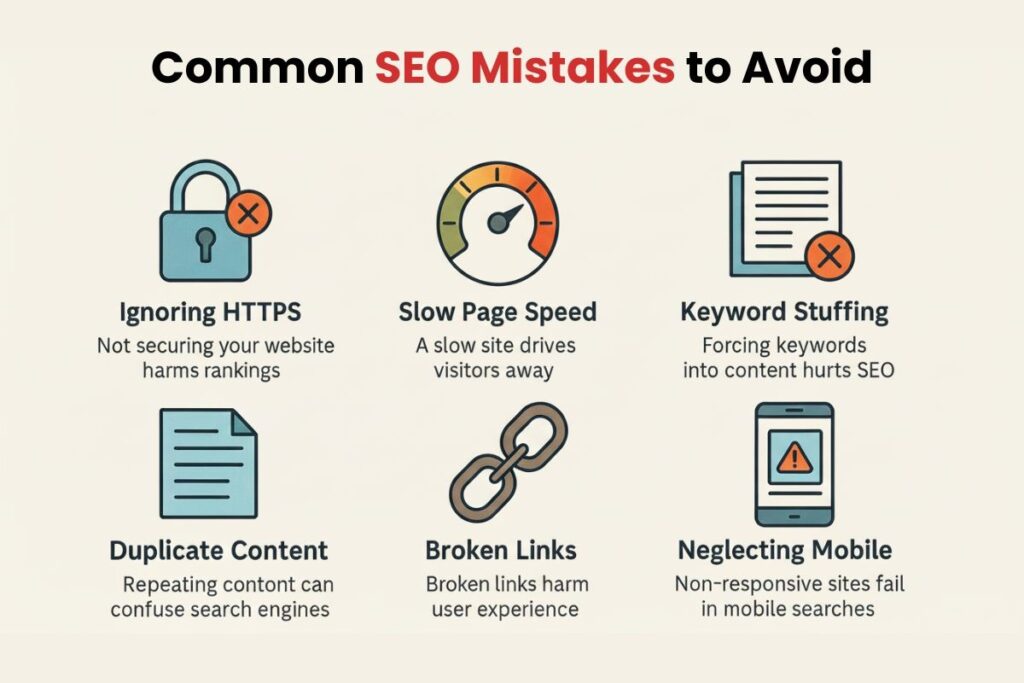
Many WordPress users make simple mistakes that hurt their rankings. Avoiding these can make a significant difference.
Using Outdated Meta Keywords Tag
Search engines no longer use meta keywords for ranking. Adding them does not provide any benefit and can make your SEO outdated. Focus on content quality and proper keyword placement instead.
Ignoring Meta Descriptions
Skipping meta descriptions reduces your chances of getting clicks. Even if you rank, users may choose another result with a better description. Always write a clear and engaging meta description.
Not Updating Old Content
SEO is not a one-time process. Updating old posts with better keyword placement can improve rankings quickly. Refreshing content keeps it relevant and competitive.
Conclusion
Adding SEO keywords in WordPress is not complicated, but it requires strategy. When you place keywords in titles, URLs, headings and content correctly, you create a strong foundation for rankings.
Focus on clarity, user intent, and natural writing. Use tools like Yoast SEO or All in One SEO to simplify the process and maintain consistency.
When you combine proper keyword placement with high-quality content, your website becomes easier to find, more engaging to read and more successful in attracting the right audience.
FAQs
How many times should I use a keyword in a WordPress post
You should use your keyword naturally throughout the content without forcing it. Focus on clarity and readability instead of counting exact repetitions. Using variations helps maintain balance.
Can I rank without using an SEO plugin in WordPress
Yes you can optimize content manually by placing keywords in the right areas. However plugins make the process faster and provide useful guidance for better results.
What is the difference between focus keyword and keyword placement
A focus keyword is the main term you want to rank for. Keyword placement refers to where and how you use that keyword across your content.
Do keywords in images help SEO in WordPress
Yes, image alt text helps search engines understand your visuals. It also improves accessibility and can bring traffic from image search results.
Should I use long-tail keywords in WordPress posts
Yes, long-tail keywords are easier to rank for and attract more targeted traffic. They also match user intent more accurately, which improves engagement.