A permalink also called a permanent link is the unique URL assigned to every page or post on a WordPress website. It is one of the most important elements of website structure because it defines how search engines and users navigate your content.
When you publish a new post or page in WordPress a permalink is automatically generated based on your chosen settings. This URL remains the same unless you change it manually which is why it is considered permanent.
Understanding how to create a permalink in WordPress? correctly is essential for both SEO and user experience. A poorly designed permalink can confuse readers and weaken rankings while a clean and keyword focused permalink improves discoverability trust and traffic.
In this guide you will learn everything about permalinks including their types how to configure them effectively best practices to follow and advanced tips for long term optimization. For more insights on startup tech and digital growth, explore the Rteetech homepage.
What is a Permalink in WordPress
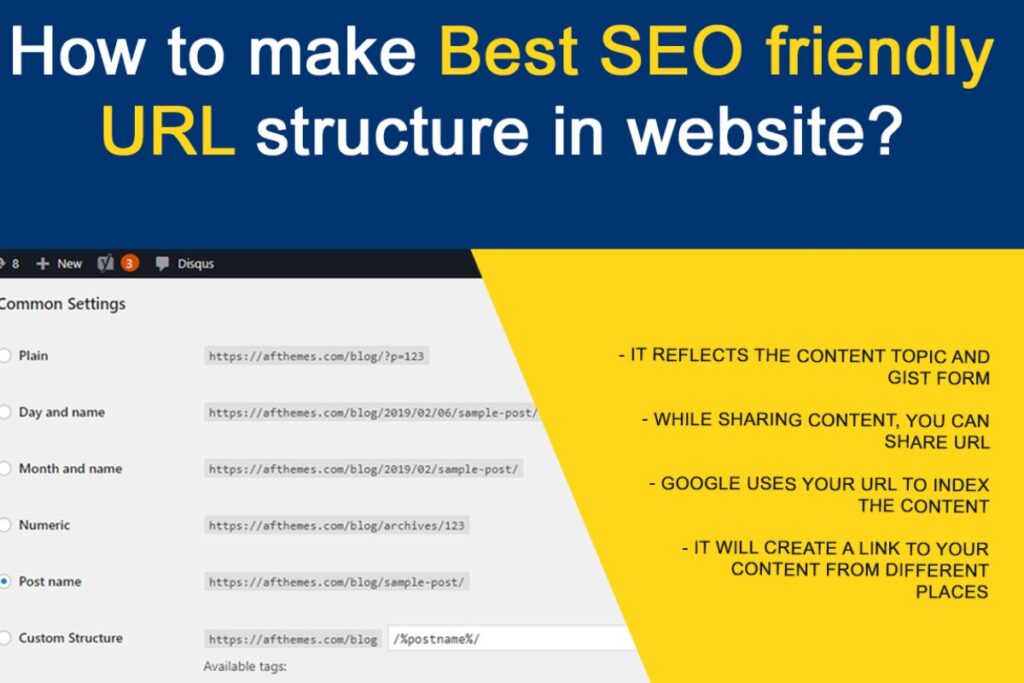
A permalink is the full web address that leads directly to a page post category or archive on your website. It defines how your content is accessed shared and indexed. When someone links to your blog post on social media or another site they use the permalink.
If you are wondering how to create a permalink in WordPress? the answer lies in making sure your URLs are clear and optimized. A strong permalink is easy to read and keyword focused.
For example example dot com slash how to create a permalink in wordpress is much easier to understand compared to example dot com slash question mark p equal 123. Permalinks connect your website content to the internet ecosystem making them vital for traffic and visibility.
Why Permalinks Matter for SEO
Search engines like Google use permalinks to crawl and categorize web pages. A logical and keyword rich permalink helps Google understand the context of your page.
It also influences click through rate because users are more likely to click a URL that looks relevant and professional. If you want to know how to create a permalink in WordPress? the key is to keep it simple and descriptive.
If your permalink contains unnecessary characters or IDs it can appear confusing and discourage engagement. Optimized permalinks not only improve ranking but also help build trust with your audience.
Ben Stace and many SEO experts emphasize that permalink optimization is a cornerstone of semantic SEO. It is not just about keywords but also about clarity meaning and intent.
Types of Permalinks in WordPress
Plain Permalinks
How to create a permalink in wordpress? This is the default setting in WordPress. A plain permalink looks like example dot com question mark p equal 123. While functional it is not user friendly or SEO optimized.
Pretty Permalinks
These are readable and descriptive. They include words such as the post name or category. Pretty permalinks look like example dot com slash post name. They are search engine friendly and highly recommended.
Almost Pretty Permalinks
These are similar to pretty permalinks but include index dot php in the structure. Example dot com slash index dot php slash post name. They are less attractive and usually avoided.
How to Set Your Permalink Structure in WordPress
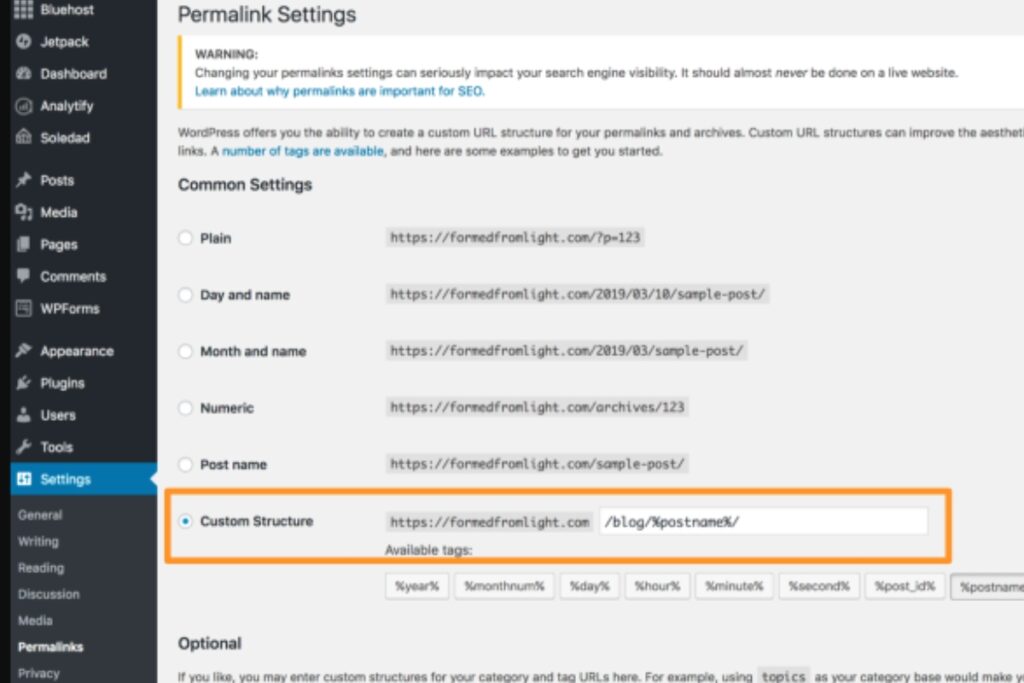
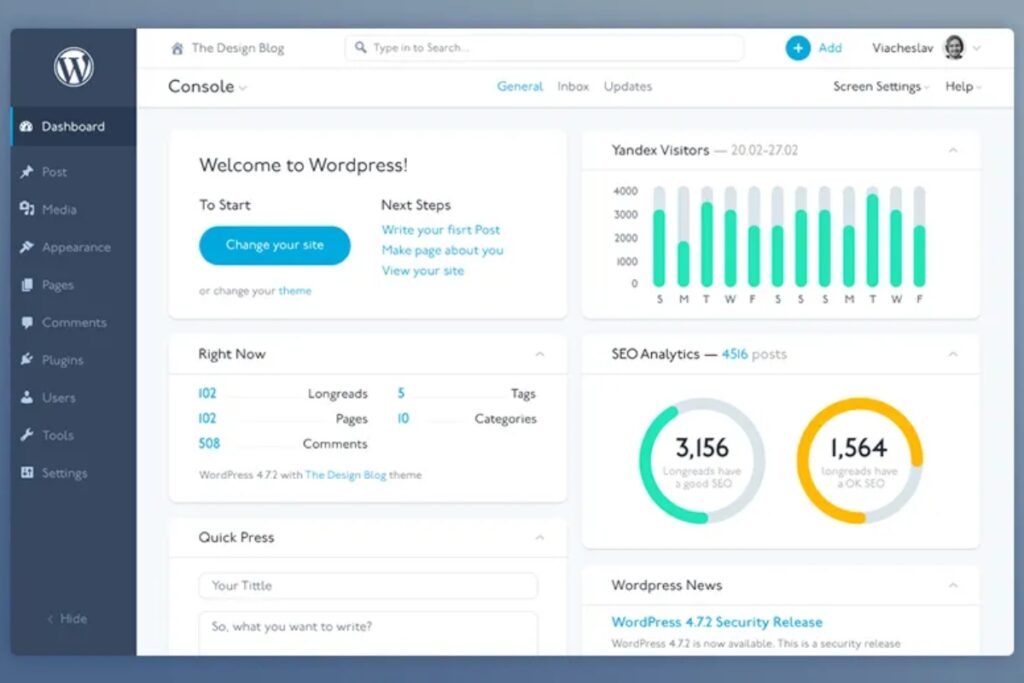
To understand how to create a permalink in WordPress? you need to configure its structure properly. The process is simple and can be done directly from your dashboard. Go to your WordPress dashboard and open the Settings menu then select Permalinks.
You will see multiple choices such as Plain Day and Name Month and Name Numeric Post Name and Custom Structure. For most sites the Post Name option is the best because it creates clean URLs that are easy to read and SEO friendly.
You can also design a custom structure using tags like year month or category. After selecting your preferred option save your changes. From this point every new post or page will follow the permalink structure you have defined.
Structure Tags for Custom Permalinks
WordPress allows the use of tags to customize permalinks. Some of the most important include
- Percent year percent for the year of the post
- Percent monthnum percent for the month number
- Percent day percent for the day number
- Percent postname percent for the title of the post
- Percent category percent for the category of the post
- Percent author percent for the name of the author
By combining these tags you can design a URL structure that fits your brand and SEO goals.
The Role of Permalinks in User Experience
A permalink is not only important for search engines but also for real users who visit your site. When a URL is short clear and descriptive it immediately tells the reader what the page is about. This improves trust and makes sharing your content easier.
For example if you learn how to create a permalink in WordPress? using the post name option the result is a URL that is easy to remember and looks more professional on social media or in search results.
A strong permalink structure improves user experience which leads to higher engagement lower bounce rates and better ranking signals for search engines.
Best Practices for Creating Permalinks
When you learn how to create a permalink in WordPress you should also understand best practices
- Keep them short and descriptive
- Include focus keywords naturally
- Avoid numbers and random strings
- Do not change permalinks after publishing unless necessary
- Separate words with hyphens not underscores
- Make sure they reflect the topic of the content
Following these principles ensures your permalinks are optimized for both users and search engines.
Common Mistakes to Avoid
Even experienced WordPress users make errors with permalinks. Some of the most common include
- Using the default plain structure which is not SEO friendly
- Stuffing too many keywords into the URL
- Changing permalinks frequently which can break links and hurt rankings
- Forgetting to set up redirects after modifying URLs
- Using special characters or spaces that confuse browsers
Avoiding these mistakes will save you from long term SEO damage.
Advanced Tips for Permalink Optimization

When do you know the basics of how to create a permalink in WordPress? you can make your links even stronger with these tips.
Use Categories Wisely
Add categories only when needed so URLs stay short and clean.
Mix Short and Long Tail Keywords
Combine broad terms with specific phrases to reach more search intent.
Align with Schema
Match permalinks with structured data for stronger semantic signals.
Keep It Simple
Avoid numbers or symbols so links are easy to read and remember.
Conclusion
Learning how to create a permalink in WordPress? is essential for SEO success and user experience. A clear and optimized permalink structure improves search visibility builds audience trust and ensures your content stays relevant over time.
By mastering the basics and applying advanced strategies you will understand exactly how to create a permalink in WordPress? that supports long term growth.
Remember permalinks are not just links they are the digital foundation of your website architecture and a powerful tool for ranking higher in search engines. learn more about our SEO for business growth strategies instead of just “Rteetech LCC
FAQs
What is the best permalink structure for SEO
The Post Name option is widely considered the best for SEO because it is simple clean and keyword friendly. It is also the most common choice when learning how to create a permalink in WordPress?
Can I change permalinks after publishing
Yes but it is risky. Always set up proper redirects to avoid losing traffic and rankings. Anyone researching how to create a permalink in WordPress? should also learn about redirect management.
What happens if I use the plain permalink structure
Plain permalinks are not SEO friendly. They make URLs harder to read and less likely to rank well.
How do hyphens affect permalinks
Hyphens improve readability and SEO since search engines treat them as word separators.
Can I add categories in permalinks
Yes you can include categories for better content organization but avoid making URLs too long.
Are numbers in permalinks good or bad
Numbers add no SEO value and often confuse users so it is better to avoid them.
Do permalinks affect site speed
No permalinks do not directly affect site speed but clean structures help with efficient crawling.
How often should I review permalink settings
Once set permalinks should remain stable. Review them only when restructuring your website or revisiting how you apply how to create a permalink in WordPress? strategies.