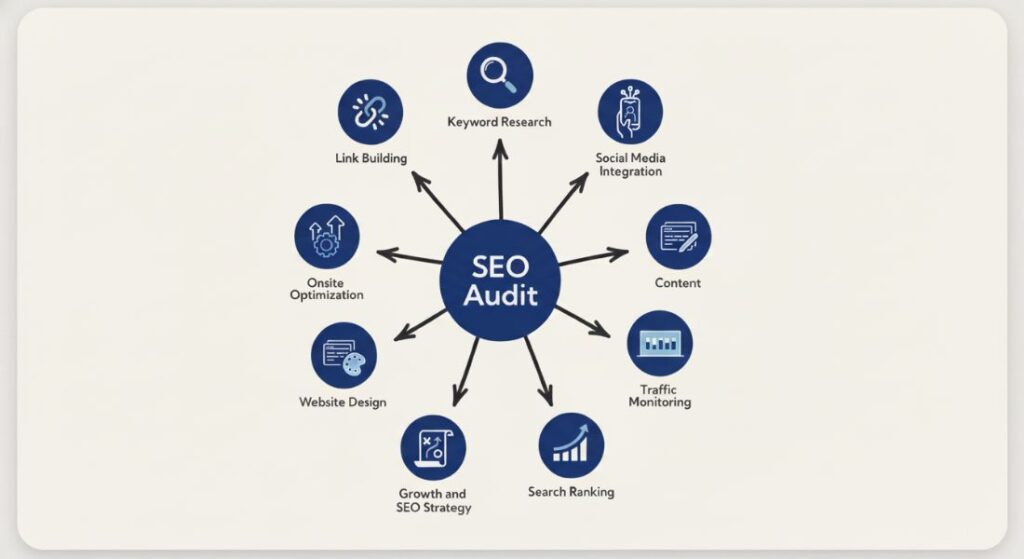
An SEO audit tells you exactly why your site is not ranking and what to fix first. You go through four areas: technical health, on-page content, site structure and backlinks and each one reveals a different type of problem.
Most people download a tool report and start fixing whatever sits at the top. That is the wrong move. A broken image on a dead page is not the same urgency as a robots.txt file blocking Google from your entire site. This guide walks you through each step in the right order so you leave with a prioritised fix list you can actually act on.
What an SEO Audit Actually Covers?
SEO audits have three separate layers and you need to treat them separately. Technical SEO covers how search engines access your site. On-page SEO covers the content and metadata on each page. Off-page SEO covers who links to you and how.
A site with great content still ranks poorly if Google cannot crawl it properly. A technically clean site with weak content hits a ceiling fast. You need all three working together.
Technical SEO vs. On-Page SEO vs. Off-Page SEO
Technical SEO fixes structural problems that affect every page at once. On-page SEO fixes individual pages so they match what searchers actually want. Off-page SEO builds the authority that makes Google trust your site enough to rank it over competitors. Fix them in this order/technical first then on-page then off-page.
What Tools You Need Before You Start
You need four tools. Screaming Frog or Sitebulb for crawling. Google Search Console for real data straight from Google. Ahrefs or Semrush for backlinks and keyword tracking. Google PageSpeed Insights for performance scores. Set up Google Search Console firstno third-party tool gives you what Google’s own data gives you.
Step 1: Crawl Your Website
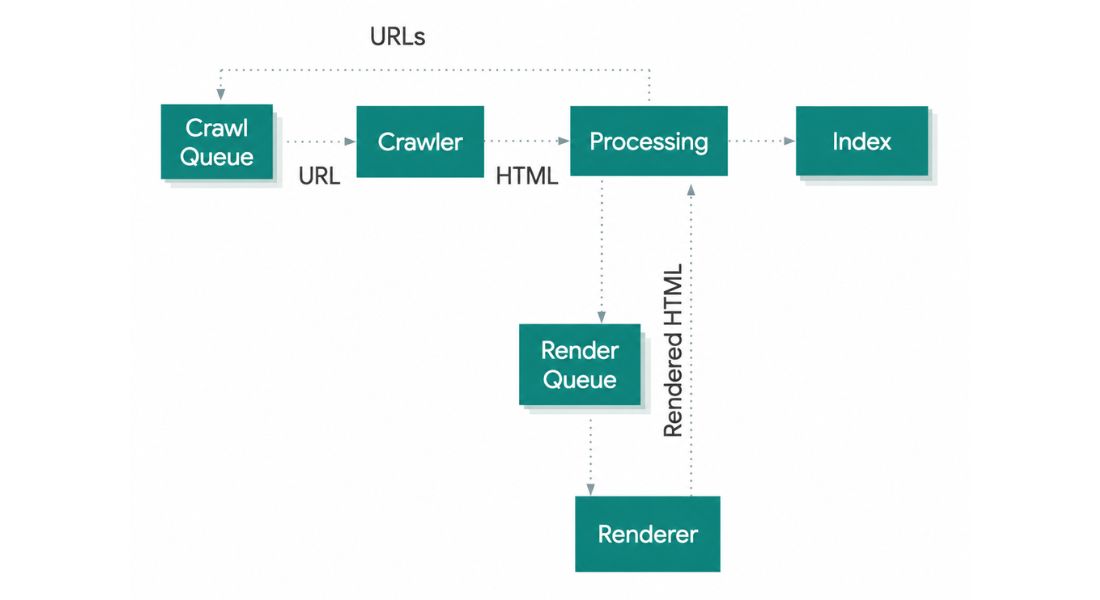
A crawl mimics what Googlebot does when it visits your site. It follows every link, records what it finds and flags problems. Run Screaming Frog on your homepage and let it finish before you touch anything else.
How to Read a Crawl Report?
Start with the 4xx tab. These are pages returning errors that do not exist but your site still links to them. Google wastes crawl budget on these dead ends and users hit broken pages. Export the list, find every internal link pointing to those URLs and fix or redirect them.
Move to the redirect tab next. If URL A redirects to URL B which redirects to URL C you are losing link equity at every step. Collapse every chain into one direct redirect from the original URL straight to the final destination.
Fixing Crawl Errors That Hurt Rankings
If both www and non-www versions of your site load or HTTP and HTTPS run at the same time Google sees duplicate sites. Add a canonical tag to every page pointing to your preferred URL then set a server redirect to enforce one version across the board.
Check your robots.txt file before anything else. One line in the wrong place can block Google from entire sections of your site. Paste your robots.txt URL into Google Search Console’s robots.txt tester and confirm what is actually being blocked.
Step 2: Audit Your On-Page SEO
On-page SEO is about whether each page gives Google clear enough signals to understand what it covers. Your crawl found structural problems. This step tells you whether the content itself is pulling its weight. Pull your indexed URL list from Google Search Console audit against pages Google is actually seeing not just pages that exist.
Title Tags Meta Descriptions and Header Tags
Filter Screaming Frog’s title tag column by duplicate values. Any two pages sharing a title tag confuse Google about which one to rank for a given term. A SaaS company that titles every feature page simply “Features” is a classic version of this mistake. Each page needs a title tag naming the specific topic it covers.
Meta descriptions do not directly move rankings but they do drive clicks. Write them as a direct answer to what the searcher wants. Keep them under 160 characters. Without one Google pulls a random sentence from your page body and random sentences rarely persuade anyone to click.
Content Quality and Keyword Alignment
Open your top five pages by impressions in Google Search Console and check what queries they appear for. If a page shows up for searches that do not match what the page actually covers you have a mismatch. Either rewrite the content to answer those queries properly or build a dedicated page for them and tighten the original.
Flag every page under 300 words in your crawl report. Google’s Helpful Content system penalises sites carrying large volumes of thin pages. For each flagged page decide whether to expand it, merge it with a related page or remove it and redirect the URL.
Step 3: Check Your Technical SEO Foundation
Technical problems hit every page at once. A slow server slows your entire site. A broken sitemap delays discovery of every new page you publish. One fix at the right level produces improvements site-wide which is why this step returns more value per hour of audit time than any other.
Pull your Core Web Vitals report in Google Search Console and start with the pages Google marks as poor. Those pages are actively losing rankings right now.
Site Speed and Core Web Vitals
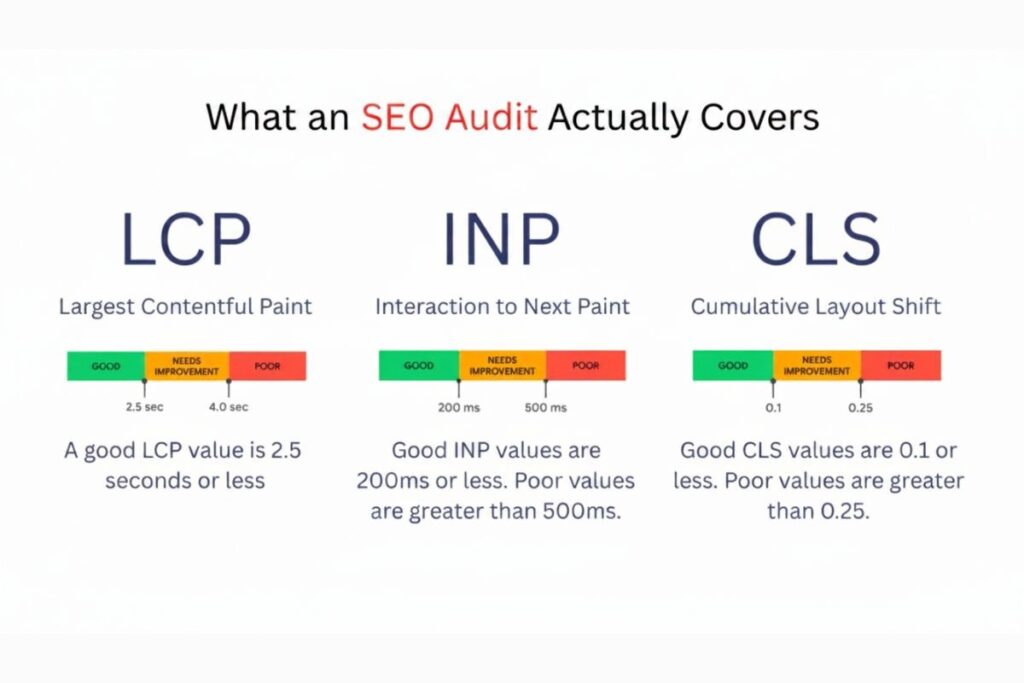
Core Web Vitals measure three things. Largest Contentful Paint tracks how fast your main content loads. Interaction to Next Paint tracks how fast the page responds to user input. Cumulative Layout Shift tracks how much the layout jumps around while loading. Run your homepage and top five landing pages through Google PageSpeed Insights to get specific recommendations for each.
Unoptimised images cause the majority of poor LCP scores. Convert images to WebP, set explicit width and height on every image element and add lazy loading to anything below the fold. These three changes fix most image-related LCP failures without touching server configuration.
Mobile Usability and Indexability
Google indexes the mobile version of your site first. If your mobile layout hides content inside tabs or accordions Google may skip indexing that content entirely. Check the Mobile Usability report in Google Search Console for flagged pages and fix text size tap target spacing and viewport overflow issues.
Check your XML sitemap next. Submit it in Google Search Console and compare submitted URLs against indexed URLs. A large gap between the two numbers points to a structural problem: either Google is ignoring pages you submitted or it is finding and indexing pages you never intended to include.
Step 4: Analyse Your Backlink Profile
Backlinks still carry serious ranking weight. A page with relevant authoritative links outranks an otherwise identical page without them. Your backlink audit has two goals: find links harming your site and find opportunities to build links that will help it.
Open Ahrefs or Semrush pull your full backlink report and sort by domain rating from lowest to highest. Your most suspicious link sources will surface at the top.
How to Spot Toxic Links
A toxic link comes from a site built purely to game rankings.link farms, private blog networks and low-quality directories with hundreds of unrelated outbound links. The signs are zero organic traffic on the linking domain exact-match commercial anchor text with no contextual relevance and pages that link out to hundreds of completely unrelated sites.
Use Google’s Disavow Tool to tell Google to ignore those links. Create a plain text file listing the domains, upload it in Google Search Console and Google stops counting them. Be selective. Disavowing real links from real sites throws away authority you already earned.
Finding Link Building Opportunities
Run a link gap analysis in Ahrefs between your domain and two or three direct competitors. This shows you sites linking to them but not to you. A site that already links to three competitors in your space is a warm prospect the editor has already decided your category is worth linking to.
Focus on resource pages and roundup articles. A page titled “Top Tools for Freelance Designers” that links to your competitors and not you is a direct outreach opportunity.
Reference their existing links explain specifically what your tool does differently and keep your pitch to three sentences. Specific outreach converts. Generic link requests go straight to the bin.
How to Prioritise Your SEO Audit Findings?
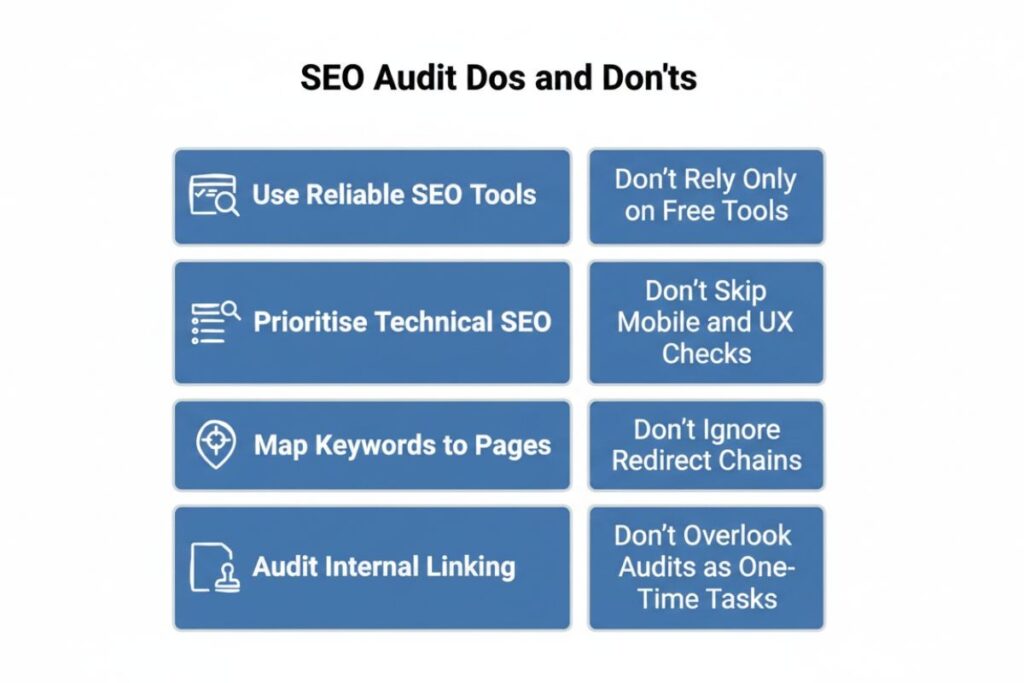
You will finish the audit with a long list. Sorting by severity without considering traffic impact is where most people go wrong. A critical error on a page nobody visits matters less than a moderate issue on a page driving your top keywords.
Score every finding on two things: how many pages does it affect and how directly does fixing it connect to rankings and traffic. Site-wide technical issues score highest on both. Fix those first because one change resolves the problem across every affected URL simultaneously.
Group your findings into three tiers. Tier one anything blocking indexation slowing the whole site or creating duplicate content at scale. Tier two-on-page issues on your highest-traffic pages. Tier three everything else including backlink clean-up and thin content on low-traffic pages.
Run a full audit every six months. Run a lightweight crawl check every month. Google changes its algorithms, your site changes constantly and new competitors enter your space.
An audit you ran once three years ago tells you nothing useful today. Build it into your regular workflow and document every finding so the next audit starts from a clear baseline.
Wrapping Up
Here is what the whole process comes down to: most sites do not have one big SEO problem. They have ten medium-sized ones that compound each other. A slow site with duplicate content and misaligned title tags does not fail for one reason it fails for three reasons at once and fixing just one of them produces barely any movement.
Work through the four steps in the order laid out here. Crawl first then on-page then technical foundation then backlinks. Prioritise by impact not by how easy something looks to fix. And run the process again every six months not because audits are fun but because a site you stopped checking six months ago has already drifted.
Start with your crawl today. Download Screaming Frog, point it at your homepage and spend 30 minutes with the 4xx and redirect tabs. That one session will surface more actionable fixes than most people find in a full day of guessing.
FAQs
How long does an SEO audit take?
A basic audit for a small site takes three to five hours. A large e-commerce site with thousands of pages can take several days to audit properly.
Do I need to pay for SEO audit tools?
Free tiers on Screaming Frog and Google Search Console handle most small sites. For sites over 500 pages or for backlink analysis paid tools become necessary.
How often should I run an SEO audit?
Run a full audit every six months and a quick crawl check every month. Algorithm updates and site changes create new issues regularly.
What is the difference between an SEO audit and keyword research?
An audit reviews your existing site for technical content and authority problems. Keyword research identifies new topics and terms to target. They are separate processes.
Can a bad backlink profile get my site penalised?
Yes. A large volume of manipulative or spammy links can trigger a Google manual penalty or an algorithmic downgrade. Use the Disavow Tool to remove their influence.