WordPress is famous for its ease of use but the default post editor has limits when projects demand structured content. A directory a complex portfolio or a custom store often needs more than title body and featured image.
ACF WordPress solves this challenge by letting you design custom fields attach them anywhere and render them exactly how you want.
This guide explains how to install configure and fully leverage the plugin so you can take full control of your content model.For more insights on startup tech and digital growth explore the Rteetech homepage.
Why Choose ACF WordPress
Standard WordPress posts are flexible but when you need extra data you must write custom code or rely on many small plugins. ACF WordPress gives you a single reliable way to add unlimited fields from simple text to complex repeaters.
You can assign those fields to posts pages users taxonomies media or even global options pages. Developers gain strong functions to fetch and output data and content editors enjoy a clean interface that feels native.
Using this plugin turns WordPress into a real content management system. It keeps information organized avoids clutter and lets you create layouts that fit any design or business need.
Installation and Initial Setup
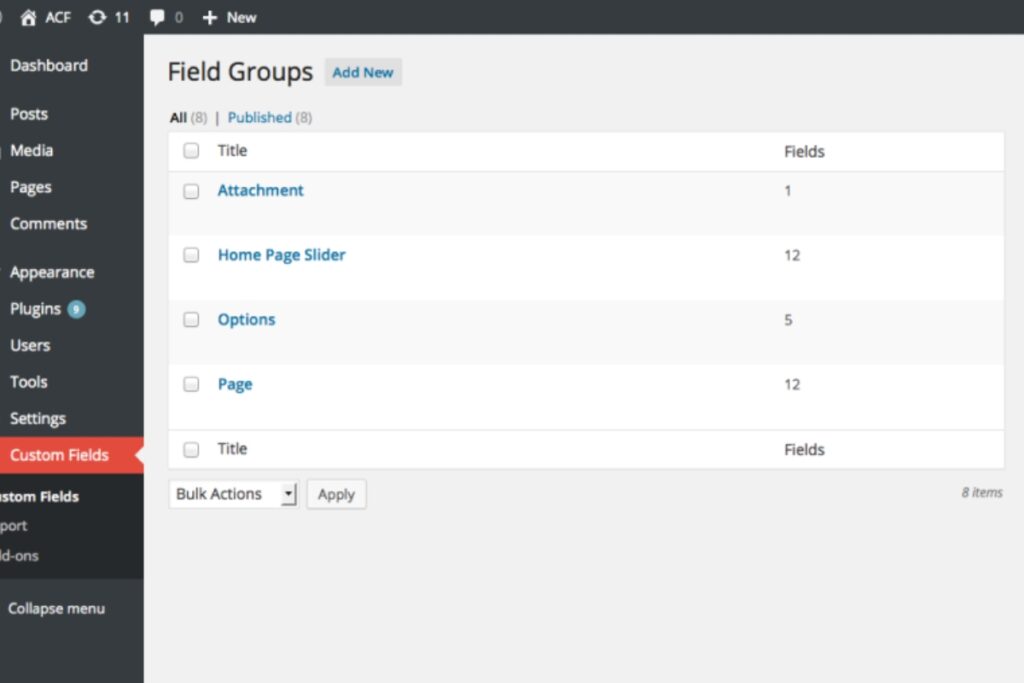
Installing the plugin is quick. Inside your WordPress dashboard open Plugins and click Add New. Search for Advanced Custom Fields and activate it. A new Custom Fields menu appears.
Create your first field group by selecting Add New. Give it a clear name like Book Details or Event Info. Add individual fields such as Author Event Date or Price and choose the field types such as text date or number.
Next set location rules to decide where the group appears. You might attach it to a specific post type a category or even a particular page template.
Publish the group and open a matching post. Your new fields will be ready for input.This simple process means you can model data without touching PHP until you are ready to display it.
Showing Custom Fields in Templates
The next step is to render those values on the front end. ACF offers straightforward functions that even a beginner can follow.
- the_field(‘field_name’) prints a value directly.
- get_field(‘field_name’) retrieves it so you can store and format it.
- have_rows and the_row() handle repeater or flexible layouts.
For example you could show an Author field inside a template like this:
<?php

$author = get_field('author');

if ($author) {

    echo '<p>Author: ' . esc_html($author) . '</p>';

}

?>
This approach separates content from design and gives you total control over HTML and CSS.
Key Features That Make ACF Stand Out
Repeater and Flexible Content
Sometimes a single value is not enough. The repeater field lets editors add as many rows as needed such as multiple testimonials or product specifications.ACF wordpress
The flexible content field lets you create modular layouts where each section can have its own set of subfields. These two features are available in the professional version and save hours of development time.
Options Pages
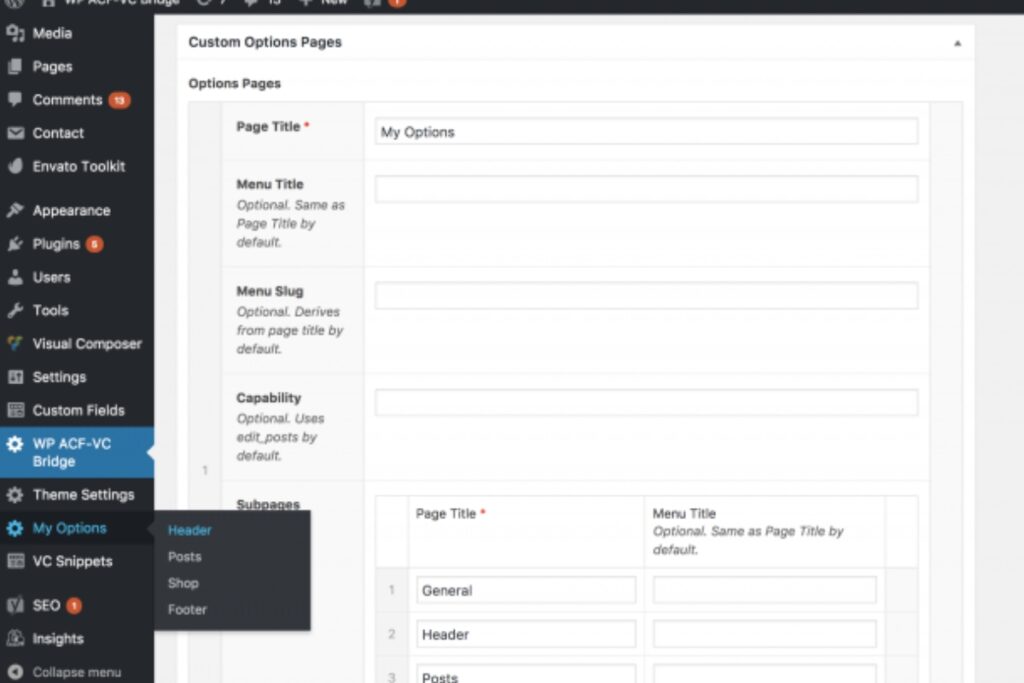
Global settings like a company phone number or social links should not live in individual posts. With the Options Page feature you can build a custom admin page that stores these values once and displays them anywhere across the site.
Gutenberg Block Integration
ACF allows developers to register custom Gutenberg blocks with PHP. You define fields for each block and control the rendering so editors get a smooth block editor experience with custom functionality.
Field Cloning and Conditional Logic
Clone fields to reuse existing groups across different post types and use conditional logic to hide or show fields based on user choices. This keeps the admin area clean and intuitive.
Best Practices for Using ACF WordPress
- Plan your data model first. Sketch the types of content and how they relate.
- Use descriptive field names with underscores to avoid conflicts.
- Escape output using WordPress functions like esc_html to maintain security.
- Limit very large groups to keep the editor fast and user friendly.
- Store configuration in version control using ACF local JSON for easy migration between environments.
- Cache queries or use transients if you call many fields repeatedly.
These steps keep your project stable and performant as it grows.
Practical Use Cases
ACF WordPress shines in countless real world scenarios:
- Real Estate Sites: Add fields for price square footage address and gallery images.
- Event Directories: Store date time venue map link and ticket price in structured fields.
- Team Pages: Capture name role headshot and social profiles for each member.
- Recipe Collections: Add ingredients steps prep time and nutrition info as separate fields for easy display and filtering.
- Portfolio Showcases: Use repeater fields for multiple project images and detailed descriptions.
In each example editors enter data once and templates output it in a consistent format that matches the design.
Free vs Pro Comparison
The free plugin offers text number image relationship and many other basic field types. For advanced needs consider the Pro version which adds repeater fields flexible content galleries options pages and the ability to create custom Gutenberg blocks. If you work on large client projects the upgrade quickly pays for itself through faster development and better user experience.
Tips for Developers and Agencies

Agencies using ACF WordPress across multiple client sites can streamline workflow by keeping a starter theme with common field groups. Use Git to track JSON exports so changes move from staging to production without manual entry.
Combine ACF with custom post types and a modern theme framework to build fully bespoke websites that remain easy for clients to maintain.
Conclusion
Custom mobile app design by Garage2Global empowers businesses to stand out in a competitive digital market.
By blending creative UX/UI, scalable development, and robust security, they deliver apps that engage users and support long-term success.
Whether you’re a startup or an enterprise, Garage2Global ensures your app meets current needs and is ready for future growth.learn more about our SEO for business growth strategies instead of just “Rteetech LCC”
FAQs
Is ACF WordPress safe for performance?
Yes when used responsibly. Fields are stored as standard post meta and you can cache heavy queries with WordPress transients or object caching.
Does it work with page builders?
It integrates with popular builders and the data can feed dynamic modules or shortcodes. Custom Gutenberg blocks make it even smoother.
Will my data remain if I change themes?
Your field data is stored in the database not the theme so values remain. You only need to add template code in the new theme to display them.
Can I use it with custom post types?
Absolutely. Register your post type with code or a plugin and attach field groups to it for full control.
Is there a limit to the number of fields?
There is no hard limit but too many fields can slow the admin screen. Use repeater fields and conditional logic to keep the interface clean.