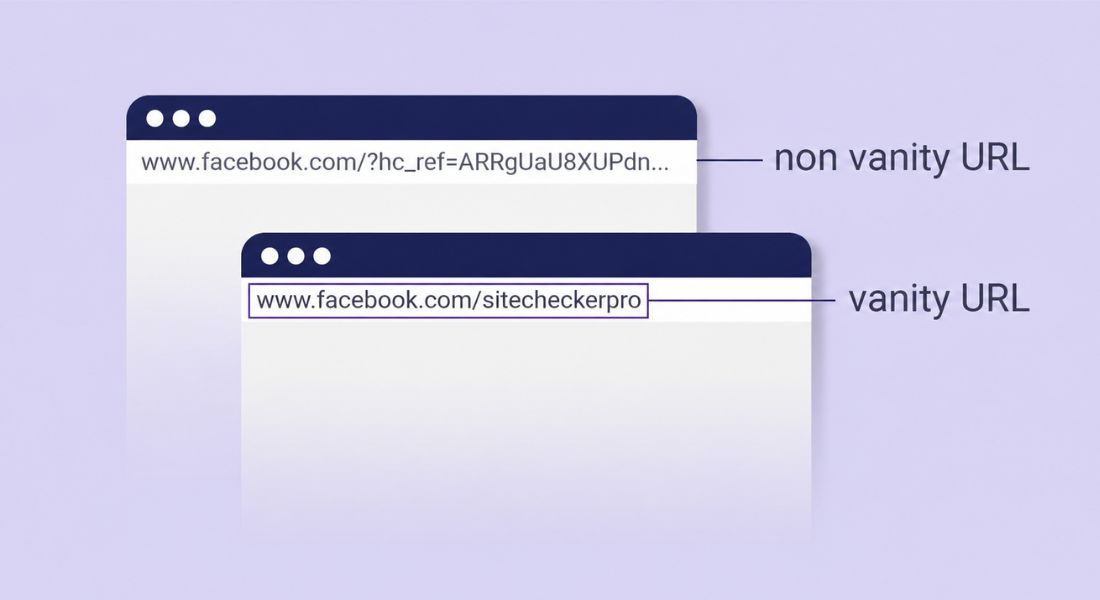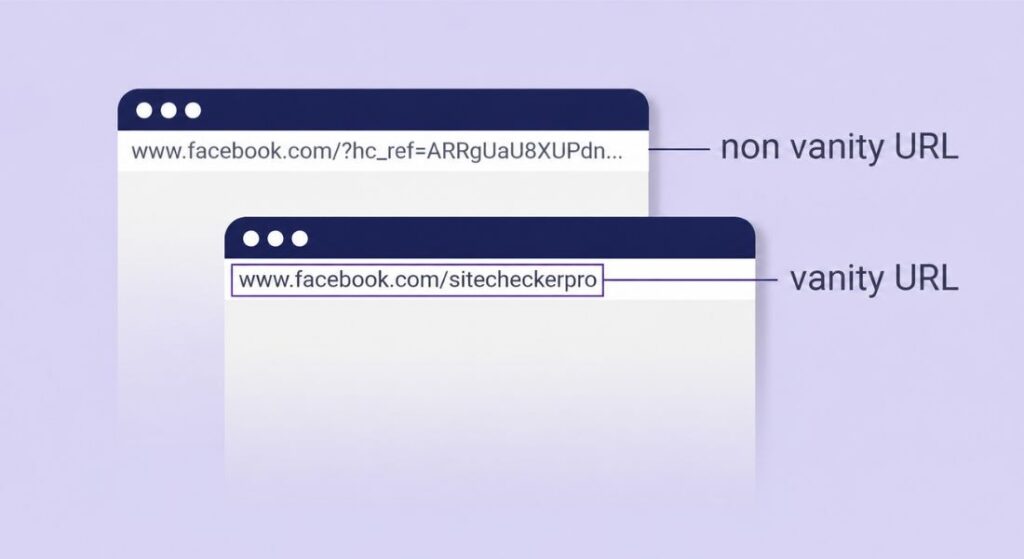
If you have ever seen a link like go.brand.com/summer-sale or yourbrand.zoom.us and thought “that looks clean and professional” you already understand the power of a vanity URL. These short branded custom web addresses are not just pretty links, they are a serious marketing and branding tool that savvy businesses use every day to drive more clicks, build trust and track campaigns with precision.
What is a Vanity URL?
A vanity URL is a custom human-readable web address created specifically for branding and marketing purposes. Instead of sharing a long ugly link full of random strings and parameters you share a clean memorable URL that reflects your brand name or campaign.
Think of the difference between https://yourwebsite.com/post?id=4827361 and yourbrand.com/summer-sale. Both lead to the same destination. But the second one is a vanity URL short descriptive on-brand and easy to type from memory.
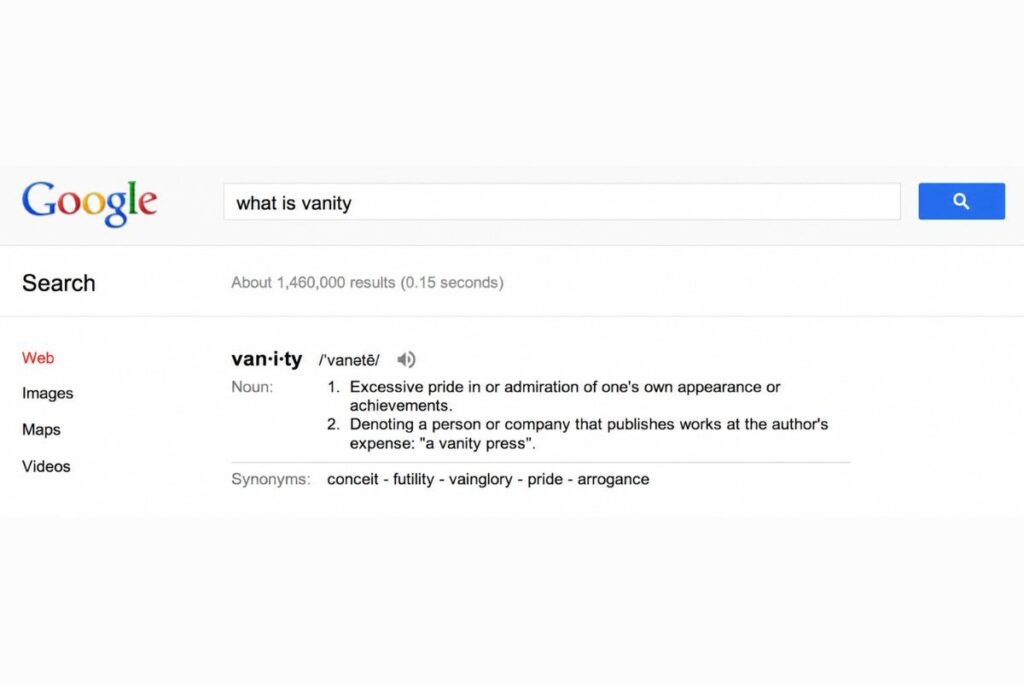
The term “vanity” here is not about ego. It refers to the customization aspect you are shaping the URL to look exactly the way you want it to. In digital marketing, a vanity URL is also called a custom URL, a branded link or a branded short link.
Vanity URL vs. Short URL: What Is the Difference?
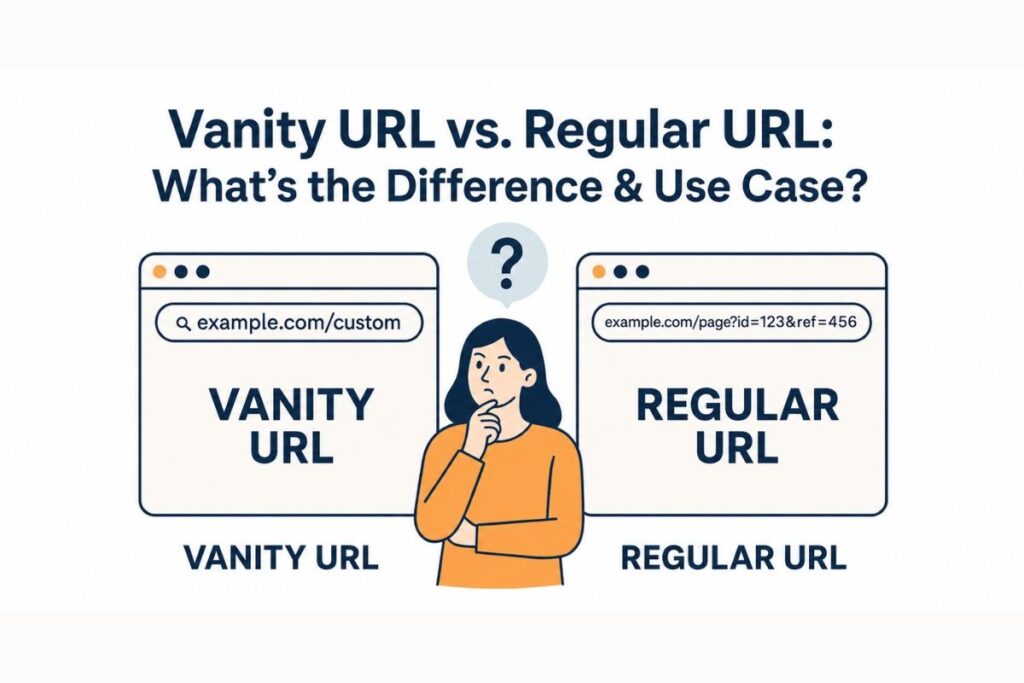
This is where a lot of people get confused so let us clear it up directly.
A short URL is simply a compressed version of a long link. Tools like bit.ly or TinyURL take your long URL and give you something like bit.ly/3xR9kPm.
It is shorter, yes. But it tells the reader absolutely nothing about where they are going or who sent them the link. It looks generic and disposable.
A vanity URL on the other hand is branded. Even when it uses a URL shortener as the backbone the domain and the slug are customized to match your brand identity.
So instead of bit.ly/3xR9kPm you get yourbrand.co/summer-sale. That is the key distinction. Every vanity URL is a short URL in function but not every short URL is a vanity URL in branding.
Why Vanity URLs Matter for Your Brand and SEO?
The benefits of vanity URLs go deeper than aesthetics. Here is why they genuinely move the needle.
They Build Instant Trust and Click-Through Rates
When someone sees a branded link with a recognizable domain name they feel confident clicking it. Generic short links especially on social media carry a psychological barrier because users cannot tell where they lead.
A branded custom URL removes that friction completely. Research in the link management space consistently shows that branded links get significantly higher click-through rates than generic shortened links because trust is already baked into the URL itself.
They Reinforce Brand Recall Across Every Channel
Imagine printing a URL on a billboard, a business card or a product package. A link like yourbrand.com/free-trial is memorable. It survives the offline-to-online journey. A customer can see it at a trade show and type it correctly three days later.
That memorability is something no random string of characters can replicate. This makes vanity URLs especially powerful for omnichannel marketing bridging print outdoor advertising email marketing and digital campaigns under one consistent brand experience.
They Give You Clean Actionable Campaign Analytics
Every vanity URL acts as a trackable link. When you create one through a link management platform or a redirect service you can monitor click data geographic location of users device types, referral sources and conversion rates all tied to that specific branded link.
This makes campaign tracking not just functional but elegant. You can instantly tell which call-to-action drove traffic without digging through messy UTM parameters in a spreadsheet.
They Protect and Future-Proof Your Brand
Social platforms like Facebook, LinkedIn , YouTube and Instagram all allow users to claim a custom profile URL or username handle. When you set up your branded vanity URL on these platforms early for example facebook.com/yourbrand instead of facebook.com/yourbrand.12837465 you lock in your brand identity across the web. This is standard digital hygiene for businesses of any size.
Common Use Cases for Vanity URLs
Vanity URLs show up in more places than most people realize. Understanding where they are used helps you spot opportunities in your own marketing strategy.
Marketing Campaigns
Marketers use unique vanity URLs for each campaign email blasts, paid ads, social media posts and influencer partnerships. Each link is distinct but stays on-brand. When a campaign ends you update the redirect destination without changing the URL preserving your printed materials and any bookmarks users may have saved.
Social Media Profile Links
Most platforms let you set a custom profile URL. Claiming instagram.com/yourbrand or linkedin.com/company/yourbrand is one of the first things you should do when setting up a business profile. This is technically a vanity URL, a platform-generated default replaced by a branded recognizable handle.
Video and Webinar Registration
Platforms like Zoom and Webex offer custom subdomain vanity URLs. Instead of sharing zoom.us/j/928374651038 you can offer attendees something like yourbrand.zoom.us/webinar. It feels more professional and is far easier to communicate verbally during a live presentation or podcast.
Link-in-Bio Pages
Tools like Linktree and Beacons let creators and brands replace the default subdomain with a custom one. Instead of linktr.ee/randomuser you get link.yourbrand.com a micro landing page that acts as a branded content hub for your social bio.
Internal Company Tools
Enterprises use vanity URLs for internal documentation intranet pages and helpdesk links. A company might set up go.company.com/it-helpdesk or go.company.com/onboarding so employees can reach internal resources without memorizing complex paths.
Stanford University for example runs a formal vanity URL service for exactly this purpose turning long internal page addresses into short memorable aliases for institutional use.
How to Create a Vanity URL: Step-by-Step?
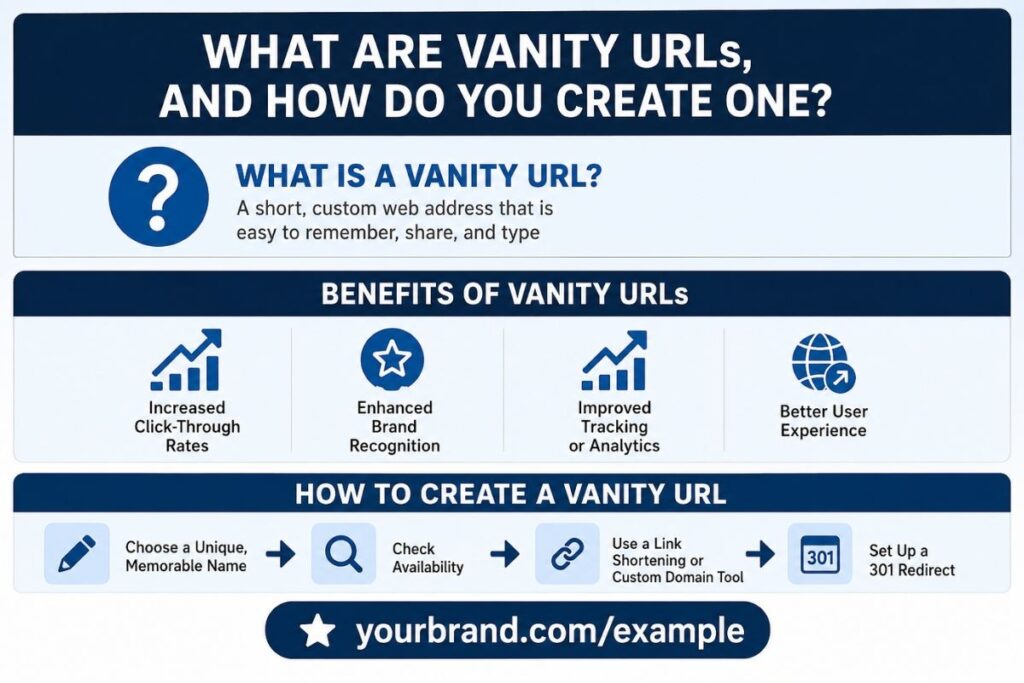
Creating a vanity URL is easier than most people think. The method you choose depends on your goal.
Step 1: Choose Your Custom Domain or Subdomain
If you want a fully standalone vanity URL using your own domain, start by buying a short relevant domain name from a registrar like Namecheap GoDaddy or Google Domains. Keep it as short as possible and make sure it closely matches your brand name.
If you already own a domain you can use a subdomain like go.yourbrand.com or link.yourbrand.com without buying anything new.
Step 2: Set Up a 301 Redirect
A 301 redirect is a permanent redirect that tells search engines and browsers “this URL now lives here.” You configure this through your domain registrar’s DNS settings or through your web hosting control panel.
When someone visits your vanity URL they are instantly forwarded to the target destination, your product page, landing page or campaign URL without seeing any technical handoff happening in the background.
If you prefer a no-code option, services like Redirect.pizza or your link management platform (Bitly Rebrandly or Short.io) handle the redirect configuration for you once you connect your custom domain.
Step 3: Use a Link Management Platform for Scale
For marketers managing multiple campaigns a dedicated link management platform is the right move. Tools like Rebrandly Bitly and Short.io let you connect your custom domain, create branded short links in seconds, organize them by campaign and view detailed click analytics in one dashboard. These platforms also make it easy to update the destination URL without changing the vanity URL itself critical when campaign pages change or get retired.
Step 4: Claim Your Platform-Specific Vanity URLs
For social media and SaaS tools the process is platform-specific. On Facebook go to your Page settings and look for the username or Page URL option. On LinkedIn edit your public profile URL. On Zoom navigate to account settings and look for the vanity URL option under your profile or meeting settings. On Hootsuite account admins can set a custom vanity subdomain for the organization’s shared social media dashboard.
Vanity URL Best Practices
Knowing how to create a vanity URL is only half the battle. Here is how to make sure yours actually performs.
Keep it short and directly relevant to the campaign or content it points to. Shorter URLs are easier to remember, easier to say out loud and more visually appealing in print. Avoid hyphens and numbers where possible they add friction in speech and memory.
Always use lowercase letters. Mixed case in URLs creates confusion and potential broken links if someone types your URL manually. YourBrand.com/Summer-Sale and yourbrand.com/summer-sale might resolve the same way on most servers but the all-lowercase version is universally safer and cleaner.
Never let a vanity URL go dead. If you retire a campaign update the redirect to a relevant page your homepage a new offer or a relevant product category. A dead vanity URL that returns a 404 error damages user trust and wastes any link equity it may have accumulated.
Test every redirect before you publish it. Broken redirects in printed materials or paid ads are expensive mistakes. Spend 30 seconds confirming the link resolves correctly before it goes live.
Do Vanity URLs Help With SEO?
This is a fair question and the answer is nuanced. Vanity URLs do not directly boost your organic search rankings in the way that on-page content optimization does. However they contribute to SEO indirectly in meaningful ways.
A branded short link that gets widely shared earns backlinks and referral traffic to your destination page. Higher click-through rates on shared links signal engagement. When your vanity domain is keyword-relevant such as tools.yourbrand.com/seo-audit the URL structure reinforces topical relevance for crawlers.
And when you use a permanent 301 redirect link equity passes through to the destination URL meaning any authority gained by the vanity URL is transferred correctly.
The bigger SEO play with vanity URLs is really about brand search volume. When your brand name appears consistently across custom social handles, campaign links and platform subdomains it builds brand recognition that eventually drives more people to search for you by name. Branded search volume is one of the strongest indirect SEO signals you can build over time.
Final Thoughts
Vanity URLs do much more than make links look clean. They help brands build trust, improve click-through rates and create a more professional experience across every marketing channel.
Unlike generic short links, branded URLs are easier to remember, easier to share and better for long-term brand recognition. They also support campaign tracking and strengthen SEO indirectly through higher engagement and branded searches.
The best part is that creating a vanity URL is simple whether you use a custom domain or just a branded subdomain. If you want stronger branding, cleaner marketing and smarter link management, vanity URLs are absolutely worth using.
FAQs
Can I create a vanity URL without buying a new domain?
Yes. You can use a subdomain from your existing website like go.yourbrand.com or link.yourbrand.com instead of purchasing a separate domain. This keeps branding consistent and reduces setup costs.
Are vanity URLs safe to use for email marketing?
Yes, branded vanity URLs are often safer and more trusted than generic shortened links. They improve click confidence and reduce the chance of users thinking your link is spam.
Do vanity URLs expire over time?
A vanity URL only stops working if the domain expires or the redirect gets removed. As long as you renew your domain and maintain the redirect, the link can stay active permanently.
Which businesses benefit the most from vanity URLs?
Ecommerce brands, SaaS companies, agencies, creators, event organizers and local businesses benefit heavily because they share links frequently across multiple marketing channels.
Can I edit the destination page after sharing a vanity URL?
Yes. Most link management platforms let you change the destination URL anytime without changing the vanity link itself. This helps when updating campaigns or replacing old landing pages.