Magento SEO is the process of improving a Magento store so search engines can properly crawl, understand and rank its product and category pages. It focuses on fixing technical structure, improving content relevance and controlling how search engines interact with large ecommerce catalogs. When done correctly it brings qualified buyers from organic search without ongoing ad spend.
Most stores fail at Magento SEO because they only optimize meta titles and ignore crawl waste created by filters duplicate URLs and internal search pages. These hidden technical issues silently dilute rankings even when content looks fine on the surface.
What Magento SEO Actually Means for Ecommerce Stores?
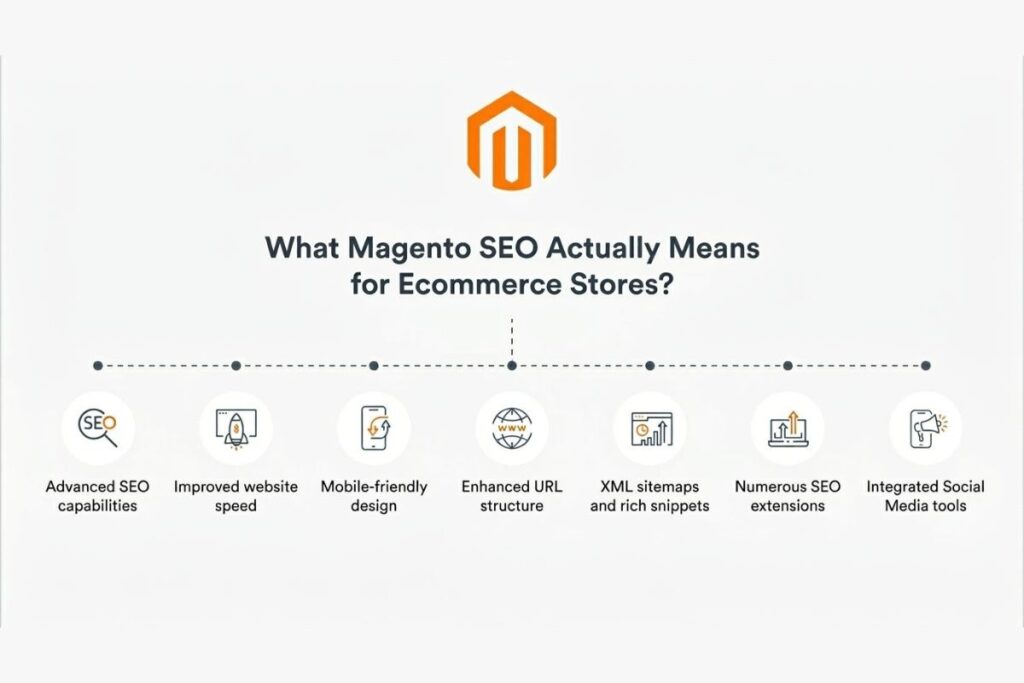
Magento SEO is not just keyword placement. It is a system that connects technical structure page hierarchy and content relevance so search engines can understand your store properly.
Unlike simple websites Magento stores generate dynamic pages through filters, categories and product variations. Without control search engines waste crawling effort on duplicate or low-value pages instead of your best products.
A clothing store may have the same t-shirt accessible through multiple filters like size, color and collection. Without SEO control each variation becomes a separate page in Google’s eyes and your ranking strength splits across all of them.
Why does Magento need a different SEO approach than other platforms?
Magento produces far more URL combinations than Shopify or WordPress. Shopify locks you into its URL structure which limits flexibility but also limits accidental damage. Magento gives you full control which means you must use that control deliberately. Stores that treat Magento like a simple CMS end up with bloated indexes, diluted authority and unpredictable rankings.
How do search engines read Magento store architecture?
Search engines crawl Magento in layers, first then categories then products. If internal linking is weak, crawlers miss important pages and spend time on irrelevant URLs instead. Google works with a crawl budget: a limited number of pages it will process in a given period. Waste that budget on filter pages and parameter URLs and your best product pages get crawled less often.
Core Magento SEO Setup
Magento SEO starts with proper configuration. A weak foundation means content optimization will never fully fix your performance problems.
Configuring search engine visibility
Magento lets you enable or disable indexing for the entire site. Many developers forget to turn indexing back on after development which completely blocks organic traffic. Go to Stores → Configuration → General → Web and confirm your base URLs. Then check robots settings under Content → Design → Configuration to make sure you are not accidentally blocking pages you need indexed.
Setting up Google Search Console and Analytics
Search Console shows how Google crawls your store. Analytics shows how users behave after landing. Together they reveal which pages attract impressions but fail to convert clicks. Connect both tools before you do anything else without this data every optimization decision is a guess.
Fixing default titles across the store
Magento generates generic titles like “Home Page” by default. These tell search engines nothing about what you sell. A title like “Running Shoes for Men and Women | Free Shipping” outperforms “Home” every time. Applying this thinking across every category page each default title Magento creates is a missed opportunity for relevant search traffic.
Magento URL Structure Optimization
URL structure directly affects how search engines understand page hierarchy. Clean URLs improve crawling efficiency and user trust at the same time.
Why messy URLs reduce crawl efficiency
A store with 5000 products that generates three URL versions per product forces Google to process 15000 pages when it only needs 5000. That is two thirds of your crawl budget wasted. Fix URL structure first, everything else becomes more effective after.
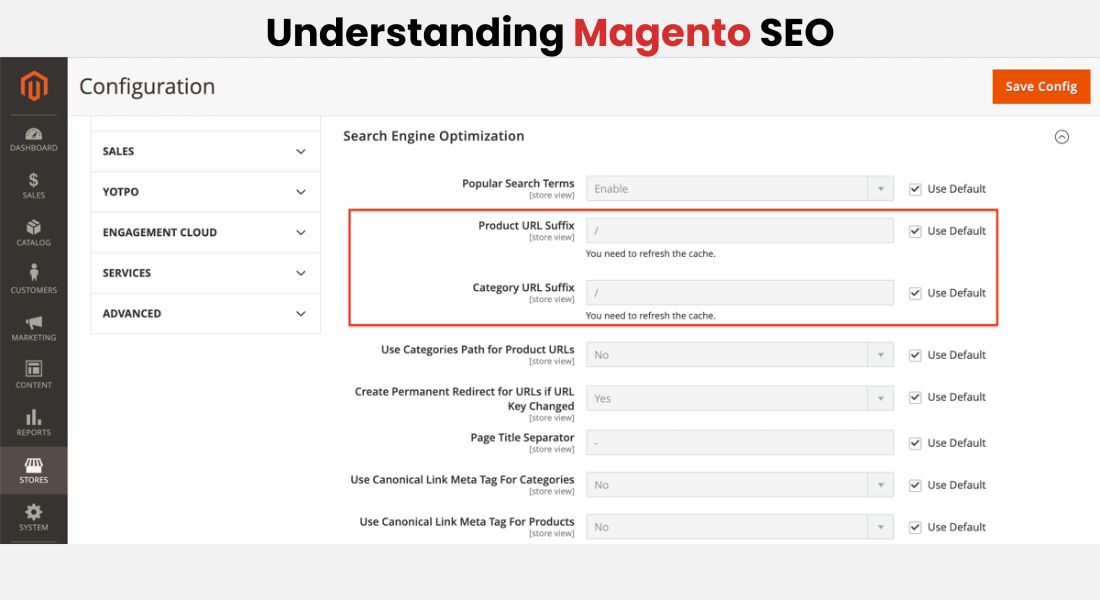
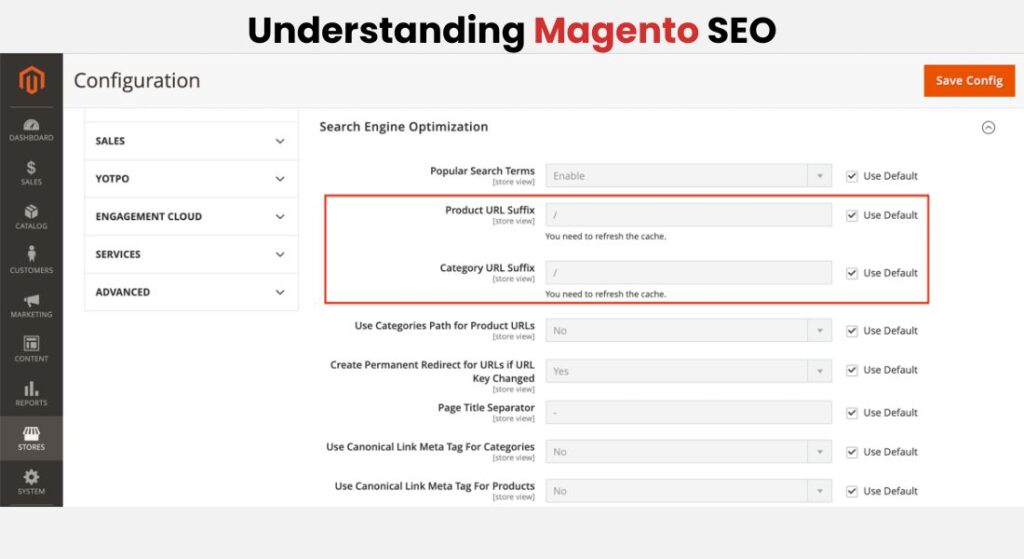
Removing .html and cleaning product URLs
Magento adds .html to URLs by default. Removing it creates cleaner shorter links that perform better in click-through rates and look less cluttered in search results.
Clean URL: /men/shoes/running-shoe Unclean URL: /men/shoes/running-shoe.html
When you remove .html, always implement 301 redirects from old URLs so you do not lose existing ranking signals.
Controlling category paths in product URLs
Including category paths in product URLs creates duplicate versions of the same product. Go to Stores → Configuration → Catalog → Catalog → Search Engine Optimization and disable “Use Categories Path for Product URLs.” This single setting prevents one of the most common sources of duplicate content in Magento stores.
Crawling and Indexing Control
Magento stores grow large fast and without crawl control search engines spend their budget on pages that generate zero revenue.
How faceted navigation creates duplicate pages
Filters like size, color and price generate multiple versions of the same category page. A single category with 10 filter options easily produces 100+ URL combinations. For a store with 50 categories this creates thousands of low-value pages that confuse Google about which version to rank.
Using robots.txt to protect crawl budget
Robots.txt tells search engines which pages to avoid. Add disallow rules for patterns like /?price= /?color= and /catalogsearch/ to stop crawlers from entering low-value areas. Check your robots.txt after every Magento update extensions can overwrite your customizations without warning.
Fixing internal search pages
Internal search pages contain thin content and high bounce rates. If indexed they compete with category pages and send negative quality signals to search engines. Block them in robots.txt and add noindex tags as a backup layer so they never appear in search results.
Canonical Tags and Duplicate Content
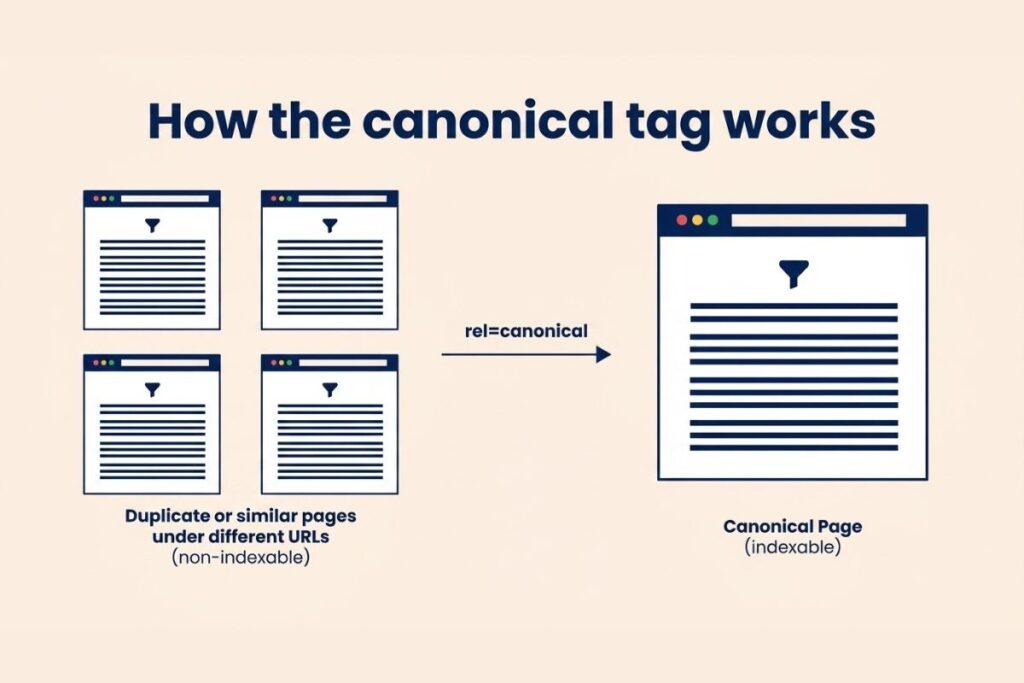
Duplicate content is one of the biggest silent killers in Magento SEO. Products appear under multiple URLs and without guidance Google picks whichever version it prefers which may not be the one you want ranked.
Setting canonical tags for products and categories
Canonical tags tell search engines which page is the main version. Magento 2 includes built-in canonical options under Stores → Configuration → Catalog → Catalog → Search Engine Optimization. Enable canonical links for both products and categories. For filter pages created by extensions make sure the canonical always points back to the clean category URL without parameters.
Preventing ranking dilution across similar product pages
A store selling the same boot in 12 colors should have one canonical product page per style not 12 separate pages competing against each other. When you consolidate signals correctly visible ranking improvements typically appear within 4 to 8 weeks.
On-Page SEO for Product and Category Pages
On-page SEO helps search engines understand what your pages are about and convinces users to click through from search results.
Writing meta titles and descriptions that drive clicks
Use a consistent format for product titles: Product Name | Key Feature | Brand Name. Keep titles under 60 characters to avoid truncation. Write meta descriptions that focus on what makes the product worth clicking shipping speed warranties or benefits competitors do not mention. A strong description does not just describe the product; it sells the click.
Optimizing headings and keyword placement
Use H1 for the primary product or category name. Use H2s for features or subcategories. Use H3s for supporting details. Write for the reader first if a keyword fits naturally. If it makes the sentence awkward, rewrite the sentence. Forced keyword insertion signals low quality to both users and search engines.
Image optimization and alt text
Compress product images before uploading. Use descriptive file names like blue-leather-running-shoe.jpg instead of IMG_4921.jpg. Write alt text that describes the image naturally including the product name color and key feature. Image search drives real ecommerce traffic that most stores completely overlook.
Technical SEO Improvements
Technical SEO ensures search engines can access and render your store correctly.
Site speed and Core Web Vitals
Enable full-page caching in Magento and use a CDN like Cloudflare to serve static assets faster. Compress CSS and JavaScript files and defer non-critical scripts. Google uses Core Web Vitals Largest Contentful Paint, Cumulative Layout Shift and Interaction to Next Paint as ranking signals. Improving these metrics directly moves your pages up in search results.
JavaScript rendering issues
Magento themes that rely heavily on JavaScript can make product content invisible to crawlers. Test your pages using Google’s URL Inspection Tool in Search Console to see what Googlebot actually renders. If product descriptions only appear after JavaScript executes, use server-side rendering or ensure critical content exists in the initial HTML response.
HTTPS and XML sitemaps
HTTPS is non-negotiable for ecommerce Google uses it as a ranking signal and browsers warn users about unsecured pages. Redirect all HTTP URLs to HTTPS. Configure Magento to auto-generate your XML sitemap and submit it to Search Console. Keep sitemaps clean by excluding noindex pages and parameter URLs so Google focuses on pages that matter.
Content Strategy for Magento SEO Growth
Content helps your store rank beyond product pages and captures buyers who are still in the research phase.
Why product descriptions alone do not rank
Most product descriptions in Magento are either copied from manufacturers or only a few sentences long. These thin pages rarely rank for anything beyond the exact product name. To capture traffic from shoppers still comparing options you need content that answers their questions and builds trust before they are ready to buy.
Category page content strategy
Add 150 to 300 words of unique content to each major category page. Explain what the category includes who it is best for and what buyers should consider. Place this content below the product grid so it does not interrupt the shopping experience. This approach consistently helps category pages rank for broader higher-volume search terms that pure product listings cannot reach.
Building content clusters for ecommerce
Create buying guides, comparison articles and how-to content targeting research-phase queries. Group them around a pillar page like a comprehensive running shoe guide with supporting articles on specific subtopics. Each supporting article links back to the pillar page and to relevant product categories. This signals topical authority to search engines and moves users toward a purchase.
Internal Linking Strategy
Internal linking distributes authority across your store and helps crawlers reach important pages faster.
Linking from categories to products
Make sure your top-performing products are reachable from the homepage within two or three clicks. Products buried deep in a hierarchy get crawled less frequently and carry weaker authority signals. Use featured product sections on category pages to give your best sellers additional link equity from high-authority pages.
Using related products strategically
Curate related product recommendations manually for your top sellers. Automated recommendations often surface irrelevant items. When related products genuinely match what a user is browsing, session depth increases and that engagement sends positive quality signals to search engines.
Common internal linking mistakes
Avoid using the same anchor text for links pointing to different pages. Do not link to pages marked as noindex. Fixing broken internal links regularly they waste crawl budgets and create frustrating user experiences. A quarterly internal link audit catches most of these issues before they accumulate into bigger problems.
Off-Page SEO and Backlinks
Off-page SEO builds the authority and trust that search engines use to decide how confidently they rank your store.
Building quality backlinks
Focus on earning links from industry publications, product review sites and niche blogs. One high-quality link from a trusted site in your industry outperforms a hundred links from irrelevant directories. Reach out to journalists covering your product category and offer expert commentary. Partner with complementary brands for co-marketing content that earns natural backlinks.
Brand signals and avoiding bad links
Maintain consistent brand profiles on relevant social platforms and review sites. Encourage customers to leave Google reviews; these appear in search results and directly influence click-through rates. Audit your backlink profile regularly and disavow links from spammy directories or link farms before they trigger algorithmic penalties.
Common Magento SEO Mistakes
Duplicate content from filters
This is the most common and most damaging SEO problem in Magento stores. Stores often wonder why rankings plateau despite good content the answer is almost always crawl waste from faceted navigation. Fix this before anything else.
Ignoring images and sitemaps
Large uncompressed images slow page load times and hurt both rankings and conversions. Run a regular image audit and compress files larger than 200KB. Check your sitemap monthly in Google Search Console under the Coverage report. Pages listed as “Submitted URL not indexed” signal either a crawl budget problem or a content quality issue that needs attention.
Keyword stuffing
Modern search engines understand context and synonyms. You do not need to repeat the exact keyword phrase ten times in a product description. Write content that reads naturally to a human buyer. If a sentence sounds robotic when you read it aloud, rewrite it.
Tracking and Turning SEO Into Revenue
What to track and how often
Set up rank tracking for your top commercial keywords and review positions weekly. Connect ranking data with revenue data to understand which keywords actually drive sales, not just traffic. A keyword at position three that converts is more valuable than a position-one keyword that attracts browsers who never buy.
Turning traffic into sales
Analyze your conversion rate by landing page. Pages with high traffic but low conversion usually have a messaging mismatch the content attracts the wrong intent. Align your SEO strategy with your highest-converting pages to attract more buyers, not just more visitors. SEO traffic only creates value when it ends in a sale.
Conclusion: Building a Sustainable Magento SEO System
Magento SEO is not a one-time setup. It is a structured system that combines technical control content strategy and user behavior optimization. Stores that manage crawl efficiency URL structure and content alignment consistently outperform those that do not.
Start by fixing indexing issues and cleaning URL structures. Then build category-focused content and improve internal linking. Build a monthly SEO workflow: review rankings, check crawl reports, audit declining pages and test improvements on low performers. Stores that treat SEO as ongoing practice compound their results year over year while stores that treat it as a one-time project slowly fall behind.
FAQs
How long does Magento SEO take to show results?
Magento SEO usually takes 3 to 6 months to show measurable improvements. Smaller stores may see faster gains if technical issues are fixed early. Large catalogs take longer because search engines need time to process thousands of pages.
Does Magento SEO require coding knowledge?
You do not need deep coding skills but basic technical understanding helps. Tasks like editing robots.txt, managing canonicals and fixing JavaScript issues often need developer support. Store owners who understand SEO logic can guide developers far more effectively.
Is Magento better than Shopify for SEO?
Magento offers more control over technical SEO which helps large stores scale better. Shopify is easier to use but limits customization in URL structure and indexing control. Magento works better for complex catalogs where advanced SEO control is necessary.
How often should you audit a Magento store for SEO?
Run a full SEO audit every 2 to 3 months and monitor key metrics weekly. Large stores with frequent product updates may need monthly technical checks to catch crawl issues early.