OpenAI API credits allow developers to access OpenAI’s powerful models like GPT-4, GPT-3.5 and DALL-E. These credits are separate from ChatGPT subscriptions and work exclusively for API usage.
Whether you’re building a single model project automating tasks or running production applications knowing how to purchase, manage and optimize your credits ensures smooth development and predictable costs.
What Are OpenAI API Credits?
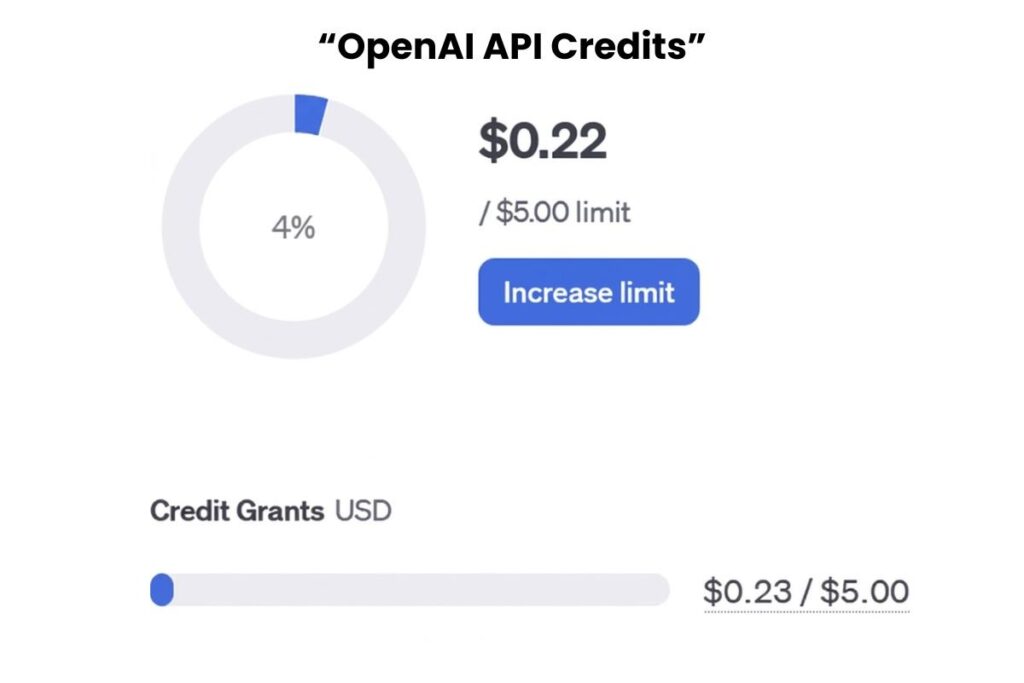
OpenAI API credits are prepaid or pay-as-you-go funds that you use to make API calls. Each request deducts credits based on token usage. You can buy credits directly in your OpenAI account and start using them immediately. These credits give you flexibility and help you manage your spending without surprises.
Credits apply to all OpenAI models including language models, image generation and multimodal tools. Using credits allows you to:
- Control your budget upfront
- Avoid unexpected charges during development
- Access high performance AI models without additional subscriptions
Prepaid vs Pay-As-You-Go
You can acquire OpenAI credits in two ways:
Prepaid Credits: You buy a fixed amount upfront. Each API call deducts from your balance until it runs out. Prepaid credits provide predictable spending and help manage budgets for teams or individual projects.
Pay-As-You-Go: OpenAI automatically bills you based on usage. This option works well for projects with fluctuating usage and allows you to avoid large upfront payments.
Recommendation: Use prepaid credits for smaller projects or testing. Choose pay-as-you-go for ongoing production systems where usage may vary.
Step by Step Guide to Buying OpenAI API Credits
Step 1: Sign In or Create an OpenAI Account
Go to OpenAI Platform and sign up. You can use an email address Google Microsoft or Apple account. Confirm your email to activate your account.
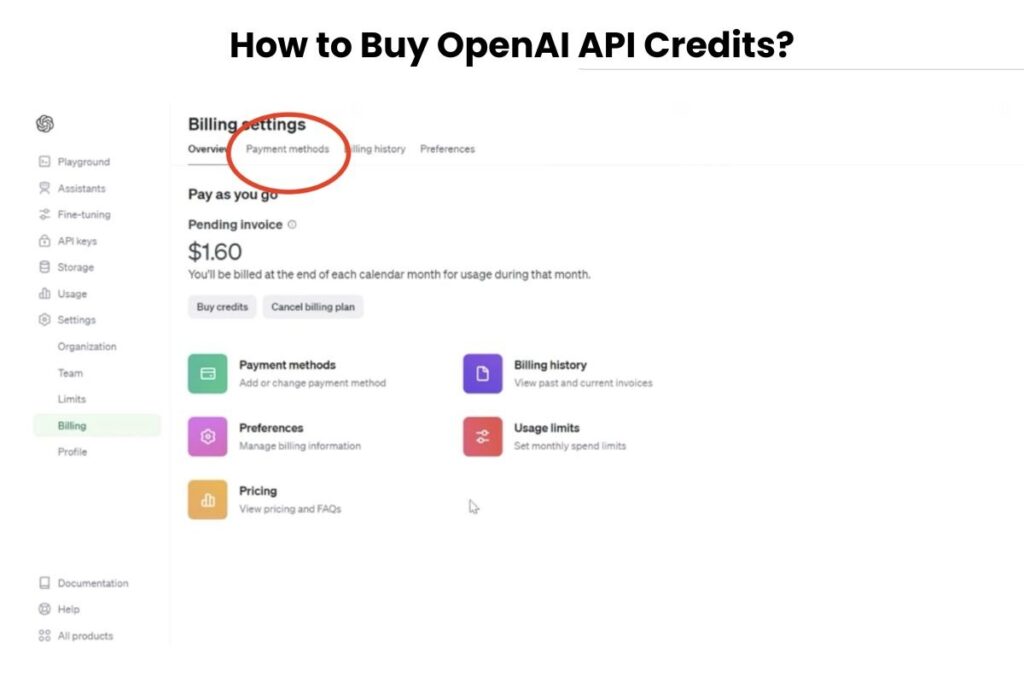
Step 2: Access the Billing Page
After signing in click the Settings gear in the top-right corner and navigate to Billing. Here you can view your current credit balance and payment setup.
Step 3: Add a Payment Method
Click Add Payment Details. OpenAI accepts most major credit and debit cards but some regions or card types may not be supported. Always verify that your card works in your region to avoid payment rejection.
Step 4: Purchase Credits
Select the number of credits you want to buy. The minimum purchase is usually $5 while the maximum depends on your account tier. You can enable auto recharge to automatically add credits when your balance falls below a threshold. Set a monthly recharge limit to prevent overspending. Remember purchased credits expire after one year and are non-refundable.
Step 5: Start Using Your Credits
Once purchased your credits appear in your billing dashboard within minutes. You can start making API calls immediately. OpenAI deducts credits automatically for each request.
Handling Common Issues
Even with credits you may encounter issues:
- Payment Rejections: Check card type and region compatibility. Use a supported card to avoid declined transactions.
- Rate Limits and Throttling: Each organization and model has usage limits. Monitor your API requests to prevent interruptions.
- Exceeded Credits: API requests stop if your balance runs out. You can purchase additional credits immediately.
- Delayed Billing: Systems may take a few minutes to update after you buy credits, sometimes showing a negative balance temporarily.
Advanced Tips for Developers
- Set Usage Limits: Configure monthly or daily spending caps to prevent unexpected costs.
- Monitor Billing: Regularly check your dashboard for credit balance API usage and auto recharge settings.
- Connect Automation Tools: Use API keys to link your OpenAI account with platforms like Relay.app Zapier or Make.com.
- Use Unified AI APIs: For projects using multiple AI providers (OpenAI Claude Gemini) a unified API simplifies integration, consolidates billing and allows fallback if one provider goes down.
- Optimize Multi Model Usage: Switching providers can require code changes but unified APIs let you switch models through configuration instead.
Optional Pricing Reference
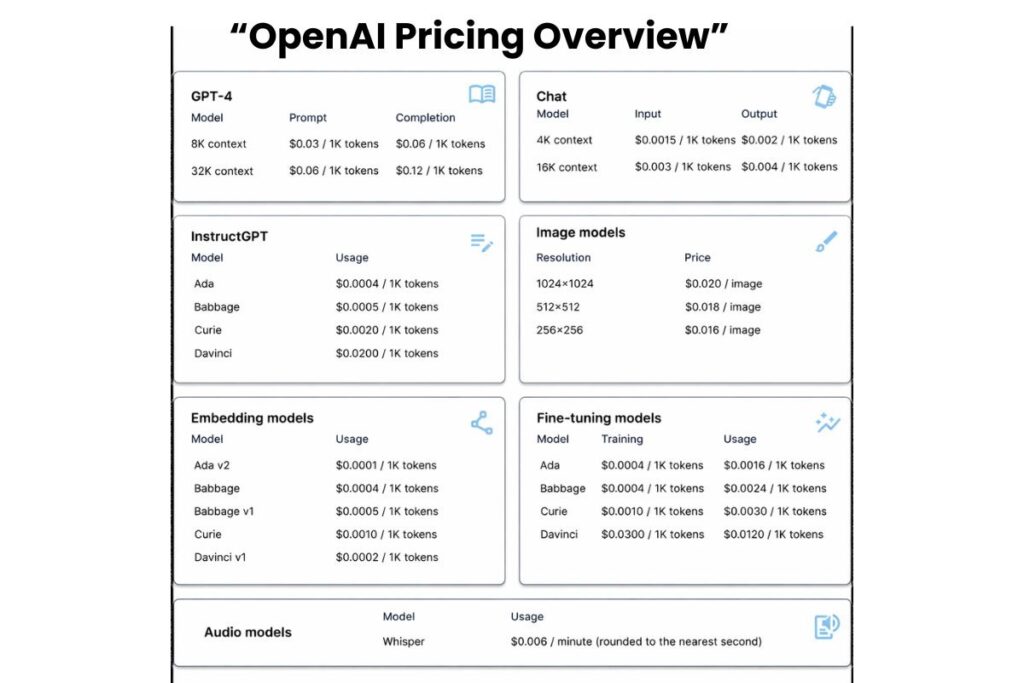
| Model | Input Cost | Output Cost |
| GPT-4o | $2.50 / 1M tokens | $15 / 1M tokens |
| GPT-5 mini | $0.25 / 1M tokens | $2 / 1M tokens |
| DALL-E | $5 / 1M input | $10 / 1M output |
Notes: Token pricing depends on input/output size. Batch API offers 50% savings on long tasks. Fine-tuning models carries separate training costs.
Conclusion
Buying OpenAI API credits is simple and efficient. Prepaid credits offer predictability while pay-as-you-go ensures flexibility. Beginners can set up credits in minutes and advanced users can connect automation tools or unified APIs for scalable multi provider projects.
Monitor your usage, enable limits and plan ahead to get the most value from your credits. With these steps you can start building AI powered applications confidently and cost effectively.
FAQs
Can I give or transfer OpenAI API credits?
No credits are permanently linked to your OpenAI account. They cannot be gifted, shared or transferred to another account. Each user must purchase their own credits to access the API.
Are all payment methods accepted globally?
OpenAI does not accept all cards or payment methods in every region. Some banks or country specific cards may be declined. Always verify your payment method in the billing settings before buying credits.
What happens if I reach my credit limit mid project?
When your credits run out API calls will stop immediately. You cannot continue requests until you purchase more or enable auto recharge. This ensures you control spending and avoid accidental overuse.
Do API credits expire if unused?
Yes, all purchased credits have a one-year expiration date. Unused credits are automatically invalid after that period. Plan your projects to use credits efficiently within this timeframe.
Can I track which API calls use the most credits?
Yes, OpenAI provides detailed usage reports in your billing dashboard. You can see token consumption per model and per request. This helps monitor costs optimize usage and avoid unexpected charges.