Running a Shopify store without knowing how well it’s optimized for search engines is like sailing without a compass. An audit seo shopify identifies hidden issues that silently reduce traffic, conversions, and revenue.
From site speed problems and broken links to duplicate content and weak product page SEO, small errors can have a big impact.
This guide walks you through everything you need to perform a complete Shopify SEO audit, optimize your store, and attract more buyers naturally.
What Is an Audit SEO Shopify and Why It Matters?
Before diving into tools and fixes, it’s essential to understand what an audit seo shopify actually does. This audit analyzes your Shopify store’s technical setup, content quality, on-page elements, and backlinks to pinpoint issues that hurt visibility.
By performing a proper audit, you can:
- Identify technical errors like broken links, slow pages, or crawl issues
- Optimize product pages and content for high-converting keywords
- Improve internal linking and navigation for a better user experience
- Strengthen off-page SEO signals like backlinks and social presence
Practical Insight: Even fixing minor crawl errors or slow-loading images can lift your product pages in Google search significantly.
How Should You Prepare for a Shopify SEO Audit?

A successful audit begins with planning. Jumping straight into tools without goals can lead to wasted effort.
Key Steps:
- Set measurable objectives: Increase sales, traffic, or UX metrics.
- Choose the right tools: Google Search Console, Ahrefs, SEMrush, Screaming Frog, GTmetrix.
- Track metrics: Bounce rate, CTR, keyword rankings, and conversions.
- Allocate budget and resources: Decide if DIY is enough or professional help is needed.
Example: A Shopify store improved conversions by 20% after dedicating one week to structured audit planning before starting optimizations.
Shopify SEO Technical Audit: Making Your Store Crawlable and Fast
Technical SEO ensures Google can efficiently crawl, index, and understand your site. For Shopify, common issues include site speed, mobile responsiveness, schema errors, canonical confusion, and orphan pages.
A thorough e-commerce website SEO audit often uncovers slow-loading images and unoptimized schema that can block search engine crawlers.
Focus Areas:
- Site Speed: Aim for LCP <2.5s, INP <200ms, CLS <0.1. Use tools like PageSpeed Insights or GTmetrix. Compress images, remove heavy sliders, and lazy load below-the-fold content.
- Mobile Optimization: Google prioritizes mobile-first indexing. Test responsiveness, clickable buttons, and menu navigation.
- Broken Links & Redirects: Use Screaming Frog or Sitebulb to identify and fix 404s or redirect chains.
- Schema Markup: Ensure product, review, and breadcrumb schemas are accurate. Consider JSON-LD apps if Shopify’s default schema misses key details.
- Canonical Tags: Resolve duplicate content caused by collection filtering and multiple product URLs.
Example: One Shopify store reduced orphan pages from 50 to 5, increasing indexable product pages by 30% and improving search visibility.
Optimizing Shopify On-Page SEO Elements
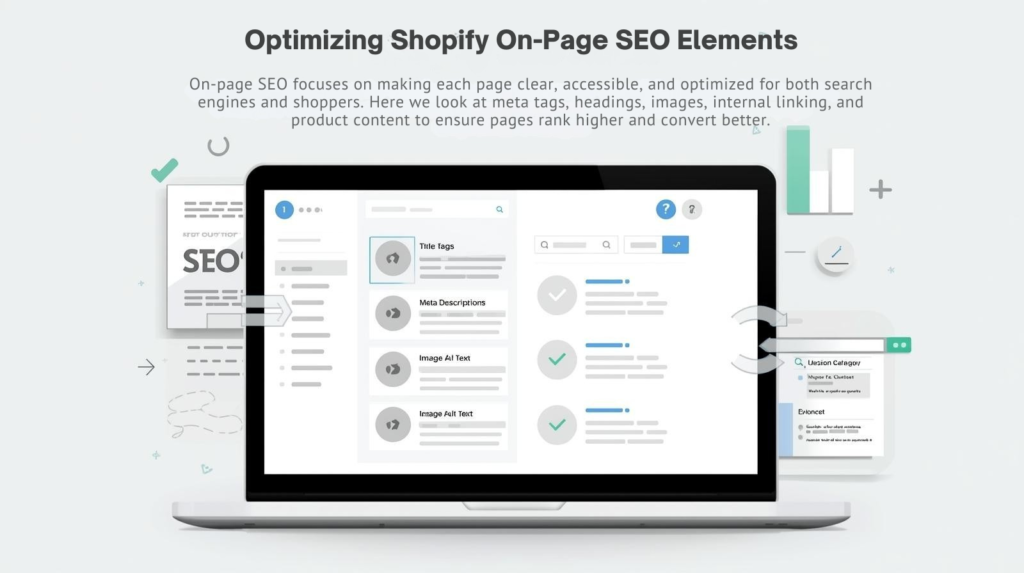
On-page SEO focuses on making each page clear, accessible, and optimized for both search engines and shoppers. Here we look at meta tags, headings, images, internal linking, and product content to ensure pages rank higher and convert better.
Key Checks:
- Title Tags & Meta Descriptions: Include primary and long tail keywords naturally. Keep titles under 60 characters and meta descriptions within 160.
- Headings: Use H1 for product title, H2/H3 for category headings and related keywords.
- Images: Compress, use descriptive alt text, and next gen formats like WebP.
- Internal Linking: Connect related products, blogs, and categories to guide both users and crawlers.
- Content Audit: Remove duplicate manufacturer descriptions; add unique, persuasive, and SEO-friendly content.
Example: Optimizing product descriptions with long-tail keywords like “handmade leather wallet gifts” increased organic traffic by 25% and boosted conversions.
Shopify Keyword Audit: Find High-Converting Terms
Keywords drive relevant traffic, but choosing the right ones matters. This section explains how to audit current keywords, identify high converting long tail terms, and fix keyword cannibalization to maximize visibility and sales.
Audit Steps:
- Track keyword performance per page using GSC or Ahrefs.
- Identify low traffic or low converting terms for optimization or replacement.
- Spot keyword cannibalization, where multiple pages compete for the same search term.
- Prioritize high conversion keywords even if their search volume is smaller.
Practical Example: Changing a page from ranking for “wireless headphones” to “wireless headphones for runners” increased purchases by 35%.
Site Structure & Navigation Optimization
A clean and logical site structure improves user experience and helps search engines understand your store. This section guides you in organizing categories, collections, and pages to ensure customers and bots can easily find important content.
Performing an e-commerce SEO audit can reveal orphan pages or poor internal linking that hinders search engine crawling.
Key Points:
- Keep important pages ≤3 clicks from the homepage
Organize categories logically and use filters for ease of navigation - Add breadcrumbs and internal links to guide search engines and users
- Fix orphan pages to ensure all products are discoverable
Example: Restructuring a Shopify store’s electronics categories led to a 20% increase in organic search traffic.
Off-Page SEO and Shopify Authority Signals
Off-page SEO builds credibility outside your site. This includes backlinks, social signals, and local SEO. Focusing here ensures your store is seen as trustworthy, authoritative, and relevant, which directly impacts rankings and conversions.
Focus Areas:
- Backlinks: Audit quality, remove toxic links, and acquire authoritative niche links
- Social Signals: Active social profiles increase engagement and brand authority
- Content Marketing: Blogs, guides, and FAQs strengthen topical authority
- Local SEO: Google Business Profile and local keywords for region specific targeting
Tip: Internal linking from blog posts to products is often overlooked but boosts product authority significantly.
Advanced Strategies for Shopify SEO Audits

Once the basics are handled, advanced strategies take your SEO to the next level. This includes AI readiness, content clustering, conversion focused audits, and competitor benchmarking to find hidden opportunities and maximize ROI.
Strategies Include:
- AI & Generative Search Readiness: Optimize for voice and AI search queries
- Content Clustering & Internal Linking: Group related products/posts naturally
- Conversion Centric Audit: Optimize high traffic, low converting pages
- Competitor Benchmarking: Compare keywords, backlinks, and structure to find hidden opportunities
Example: Rewriting meta descriptions on underperforming product pages increased conversions by 12% in one Shopify store.
Shopify SEO Audit Checklist: Step-by-Step
A consolidated checklist ensures no critical SEO aspect is missed:
- Analyze all keywords (traffic vs conversions)
- Optimize titles, meta, and headings
- Improve product images & implement schema
- Fix broken links, redirects, and mobile issues
- Enhance site speed & Core Web Vitals
- Remove thin/duplicate content
- Strengthen backlinks & social presence
- Maintain shallow, intuitive site structure
- Track progress every 6 to 12 months
Final Thoughts
A well-executed audit seo shopify uncovers hidden problems, strengthens your SEO foundation, and improves both rankings and conversions.
Regular audits, combined with technical fixes, on-page optimization, site structure improvements, and off-page authority strategies, ensure your Shopify store stays competitive, discoverable, and profitable.
By following this guide, you can make data-driven improvements that directly impact revenue while providing a better shopping experience for your customers.
FAQs
How often should I perform an audit seo shopify?
At least every 6 months or after major redesigns/migrations. Regular audits prevent ranking drops and revenue loss.
Can I perform a DIY Shopify SEO audit?
Yes, DIY audits catch basic issues, but professional audits uncover technical, schema, and conversion focused opportunities you might miss.
What are common Shopify SEO audit mistakes?
Ignoring site speed, product schema, duplicate content, or mobile usability can block traffic and conversions.
How does a Shopify SEO audit boost sales?
By fixing technical errors, optimizing product pages, improving UX, and strengthening backlinks, your store attracts more targeted visitors who are likely to convert.
Are free Shopify SEO audit tools reliable?
They are helpful for surface level checks but often miss deeper technical, content, and schema-related issues.