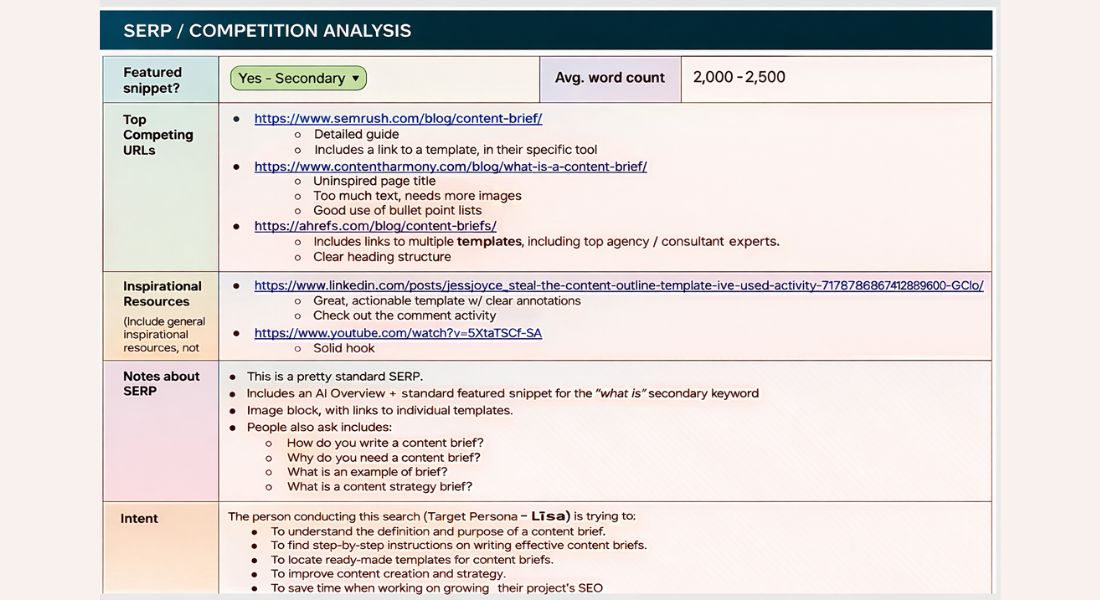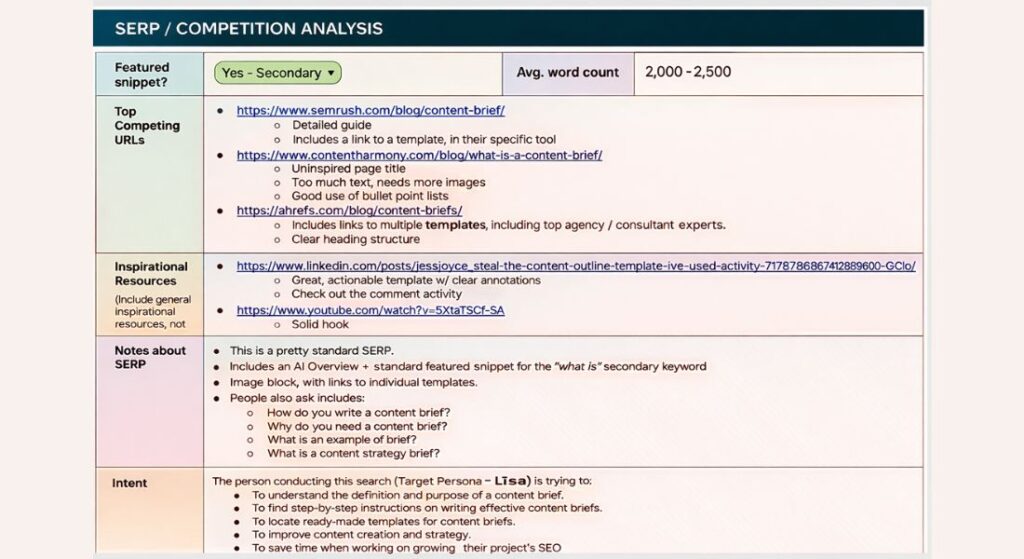
A content brief is a concise guide that outlines what to create, who it’s for and how to optimize it. It provides clarity on structure SEO and workflow for blogs, videos, podcasts and social media. Using a content brief ensures creators follow strategy, stakeholders stay aligned and content performs efficiently.
This article shows step by step how to craft a brief what elements to include and how to avoid common mistakes. By reading this you’ll get a practical roadmap to produce high quality SEO optimized content that converts.
What is a Content Brief and Why Does It Matters?
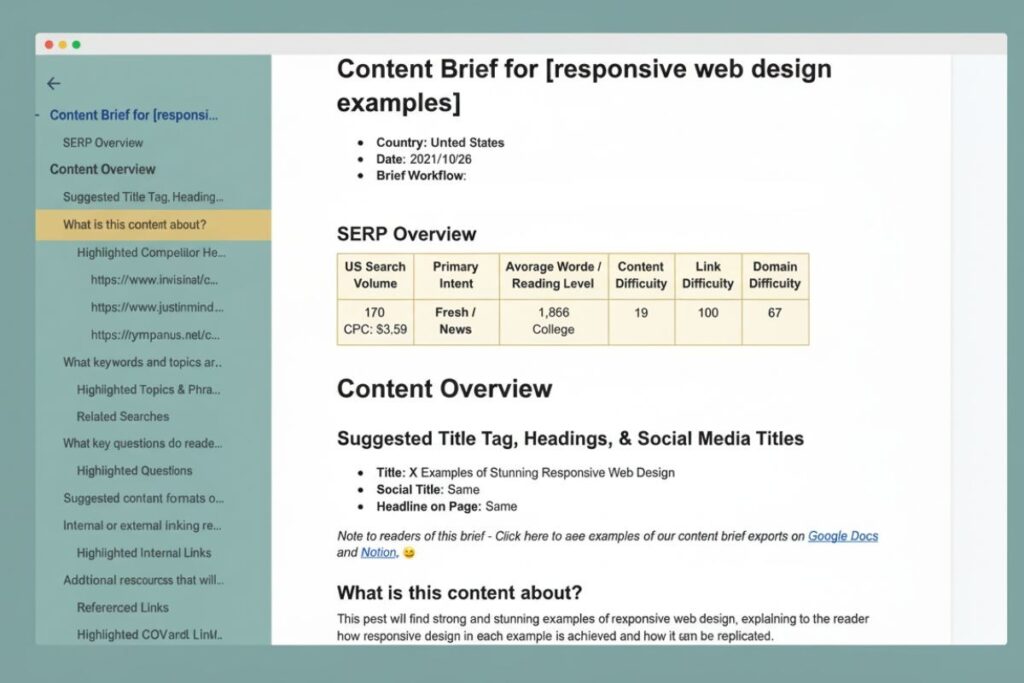
A content brief is a structured document that outlines topic, audience, SEO keywords, structure and goals to guide content creation and improve performance.
Content briefs answer key questions for creators: what to write, who it’s for, how long it should be which keywords to target and how it aligns with the overall strategy. Freelancers, in-house writers and external partners all benefit from having a single reliable source of truth.
Unlike a creative brief which focuses on campaigns and overall messaging a content brief is specific to a single piece of content. It can be adapted for blogs, videos, podcasts, emails or social media.
Top marketing teams like HubSpot and SEMrush rely heavily on content briefs to maintain consistency, SEO alignment and workflow efficiency. Without them projects risk missed deadlines, inconsistent tone and lower search engine performance.
Essential Elements of a High-Performing Content Brief
A comprehensive content brief includes several critical components:
- Point person / responsibility matrix: Who is accountable for approvals and communication.
- Communication protocols: Slack channels email threads or project boards for questions and updates.
- Assignment description: Topic purpose audience funnel stage and target outcomes.
- SEO guidance: Primary keywords secondary keywords semantic clusters meta descriptions and NLP terms.
- Assets & references: Style guides competitor examples past content images charts or research sources.
- Deliverables & deadlines: Expected word count format publishing date and any post assignment requirements.
Optional but highly recommended elements include KPIs conversion strategies, approved messaging and links to competitor content for inspiration.
A strong brief is clear yet concise. Overloading writers with information can create confusion while missing details force unnecessary back and forth.
How Content Briefs Improve Workflow?
Content briefs streamline collaboration and prevent delays. When using tools like Asana Trello or Slack, creators have access to all resources in one place. Freelancers benefit from clear instructions while in-house teams can focus on execution rather than clarification.
Structured briefs also reduce revisions. By defining style tone formatting and SEO requirements upfront writers can deliver content that aligns with expectations. Teams that rely on content briefs report faster turnaround, higher engagement and better alignment with marketing goals.
How to Write a Content Brief Step by Step?
Writing an effective content brief involves planning structure and attention to detail. Follow these steps:
Step 1: Define the Assignment
Start by outlining:
- Topic and purpose: What is the goal of this content? Inform, convert or engage?
- Audience and persona: Who will read it? What are their pain points and search intent?
- Funnel stage: Awareness consideration or decision.
Step 2: Incorporate SEO and Keywords
Identify primary and secondary keywords, semantic terms and high-ranking entities. Use tools like SEMrush Ahrefs or Moz to find terms related to your main keyword and search intent. Examples for content briefs include: “content strategy” “creative templates” “SEO optimization” and “workflow management tools.”
Include:
- Headings and subheadings with target keywords.
- Meta description guidance.
- Notes for semantic clusters LSI phrases and natural NLP integration.
Step 3: Provide References and Assets
Include links to:
- Competitor articles for tone and structure.
- Past content or internal case studies.
- Style guides brand guidelines and image libraries.
This ensures creators maintain consistency, avoid errors and align with brand standards.
Step 4: Specify Deliverables and Deadlines
Include clear instructions on word count file format image or video inclusion and the expected publishing date. Mention time zone and preferred submission platform (Google Docs HubSpot CMS etc.) for clarity.
Step 5: Assign Responsibility and Communication Channels
States who will approve content answer questions and provide feedback. Include Slack channels Trello cards or Asana boards. This keeps everyone accountable and reduces unnecessary delays.
| Field | Details / Instructions |
| Date of Request | Enter the date this brief is created. Include time zone if relevant. |
| Point Person / RACI | Name of the person responsible for approvals and communication. Include alternates if needed. |
| Preferred Communication Channel(s) | Slack channel email thread Trello/Asana card link. Ensure access details are provided. |
| Content Type | Blog Video Podcast Social Media Email etc. |
| Assignment Title / Working Title | Provide a clear working title or headline. |
| Purpose / Objective | Define content goal: Inform Convert Engage Brand Awareness. |
| Audience / Persona | Include demographic info, pain points, intent and funnel stage. |
| SEO Guidance | – Primary Keyword(s)- Secondary Keywords / Semantic Clusters- NLP / LSI Terms- Meta Description Notes- Suggested Headings / Subheadings |
| Required Subheadings / Format | H2/H3 structure formatting notes image/video placement tables bullet points if allowed. |
| Assets & References | Style guides competitor examples internal resources charts images external links. |
| Deliverables | Word count file format (Google Docs Word Google Slides etc.) media assets CTA instructions. |
| Deadline / Time Zone | Specify due date time and time zone. |
| Conversion & KPIs | Define measurable goals: CTR leads downloads subscriptions. |
| Competitor / Inspiration Links | Examples of high-ranking content for structure tone and coverage. |
| Post-Assignment Instructions | Submission instructions review process approval workflow invoicing if freelancers. |
| Additional Notes / Comments | Any extra info that could help the writer succeed. |
Advanced Content Brief Strategies
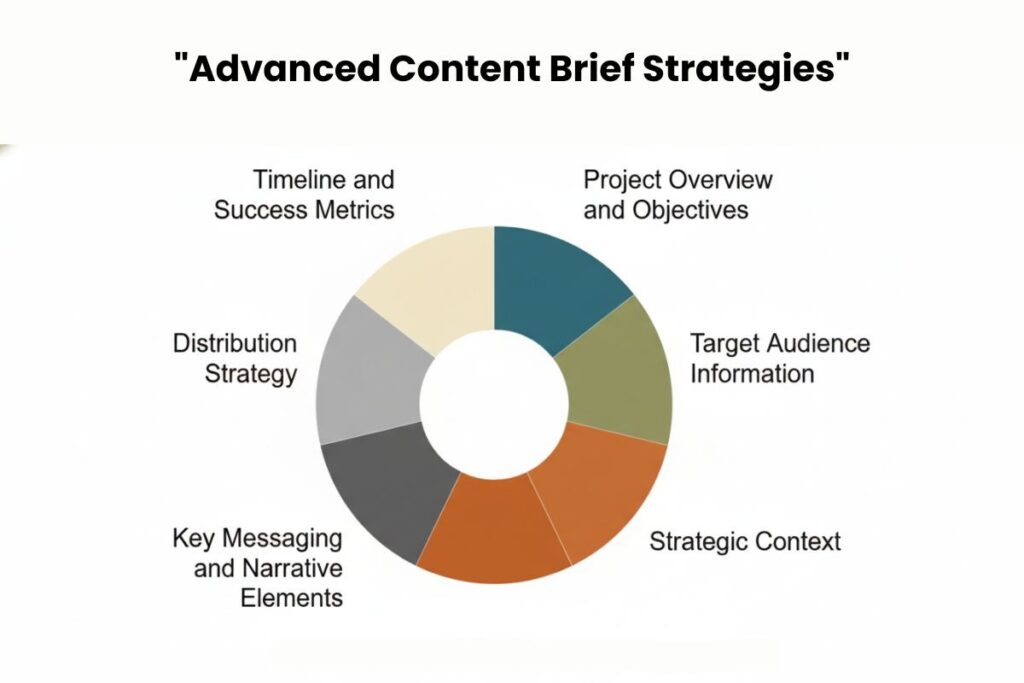
Use Templates
Templates save time and maintain consistency. Common types:
- Freelancer brief template: Includes style guide links, references and detailed instructions.
- In house brief template: Focuses on SEO guidance KPIs and publishing workflow.
- Campaign brief template: Combines multiple content pieces messaging and overall objectives.
Include Semantic SEO Guidance
Top-performing content briefs include semantic clusters and NLP keywords. For example, instead of only “content briefs” include “creative brief template” “HubSpot marketing” or “content optimization tools.” This ensures content naturally ranks for multiple related searches.
Map to Buyer Journey
Specify which stage of the funnel the content addresses. Include CTA suggestions messaging alignment and conversion focused elements. HubSpot and SEMrush often integrate this into briefs to produce high converting content.
Collaboration and Project Management Tools
Effective content creation relies on smooth collaboration and clear project management. Tools like Asana and Trello help track tasks deadlines and responsibilities keeping everyone aligned on what needs to be done.
Slack facilitates real time communication allowing team members to ask questions, share updates and provide feedback quickly. For file sharing and centralizing assets Google Drive or Dropbox ensures that documents, images and other resources are accessible to the team at any time.
Additionally HubSpot CMS streamlines content upload optimization and publishing reducing manual work. Integrating these tools into your content workflow reduces friction and ensures a seamless execution from brief to published content.
Common Mistakes to Avoid
Even with a detailed content brief mistakes can occur if critical details are overlooked. Overloading the brief with excessive links can confuse creators so only essential references should be included.
Missing communication information such as the point person or preferred channels often leads to delays and misalignment. Ignoring SEO guidance including keywords semantic clusters or search intent notes can negatively impact content performance.
Similarly skipping formatting instructions like headings word count or image usage increases revisions and slows down production. By proactively avoiding these errors teams save time, improve content quality and maintain consistency across all deliverables.
Best Tools to Create and Manage Content Briefs

Certain tools enhance both the efficiency and quality of content briefs. HubSpot offers integrated templates and SEO guidance directly within its CMS helping teams create content that aligns with brand and search engine requirements.
Platforms like SEMrush and Ahrefs are invaluable for identifying primary and secondary keywords, semantic clusters and high-ranking entities to improve SEO performance. Workflow management tools like Asana and Trello keep deadlines, tasks and responsibilities organized while Slack provides a platform for instant communication and feedback.
Centralized access to resources is made easy with Google Drive or Dropbox ensuring that all team members can access assets references and style guides. Using these tools together ensures that content briefs are actionable, clear and produce high-quality results efficiently.
Conclusion
A well crafted content brief is more than a guide, it’s a strategic tool that aligns SEO workflow and content quality. By defining purpose audience SEO directives, deliverables and responsibilities you empower your team to create content that performs.
Advanced strategies including semantic SEO integration buyer journey mapping and collaboration tools like HubSpot SEMrush Asana Trello and Slack ensure briefs produce high quality actionable content.
Avoid common pitfalls like overloading links, missing communication details or ignoring SEO guidance to maximize efficiency. Invest in content briefs and your marketing team will consistently produce content that engages audiences ranks on search engines and drives conversions.
FAQs
Can content briefs improve SEO performance?
Yes. Including keywords semantic clusters and search intent guidance ensures content ranks for relevant terms. Properly structured briefs also help maintain internal linking meta descriptions and headings boosting overall SEO.
How long should a content brief be?
Ideally one to two pages. Include all necessary information without overwhelming the writer. Focus on purpose audience SEO references assets and deadlines. Conciseness ensures clarity and actionability.
Should I create separate briefs for different content types?
Yes. Blogs, videos, podcasts and social media require tailored briefs. Video briefs include length format and editing notes while blog briefs focus on SEO headings and references. Tailoring ensures clarity for each content type.
What is the role of semantic keywords in a content brief?
Semantic keywords help content rank for related searches. By including LSI terms and NLP clusters writers can naturally cover the topic comprehensively improving relevance and search visibility.
Can tools like HubSpot and Asana automate content brief management?
Absolutely. HubSpot provides templates and SEO guidance while Asana and Trello streamline task assignment deadlines and collaboration. Automation reduces errors and ensures all stakeholders stay aligned.
Who should create a content brief?
Content strategists, SEO specialists or marketing managers usually create briefs to ensure content aligns with business goals, SEO strategy and audience intent.