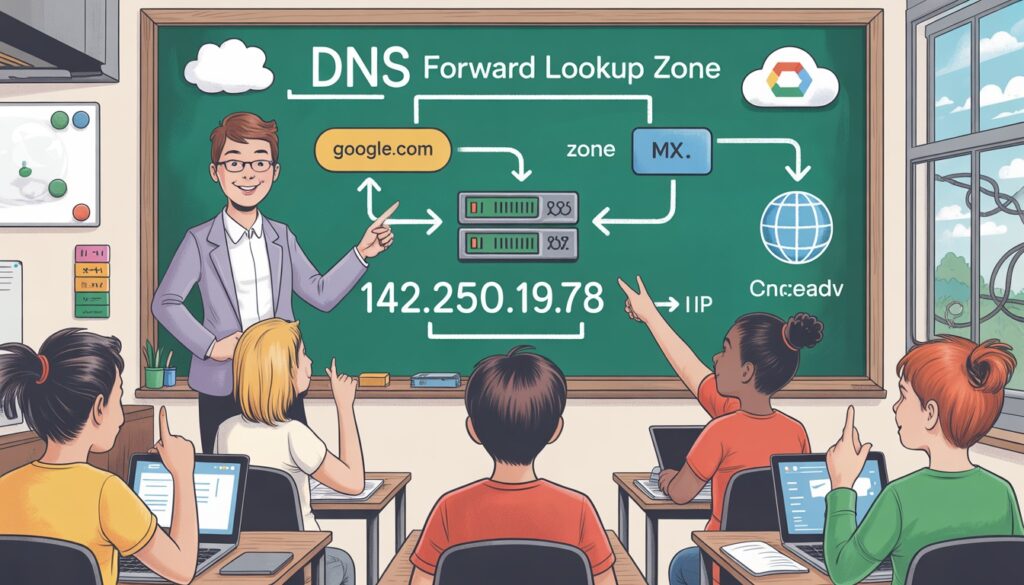
Whenever you type a website name into your browser, your computer doesn’t magically know where to go. That’s where the DNS Forward Lookup Zone comes into play.
It’s the backbone of translating human-readable domain names into IP addresses so websites, email servers, and network services can function seamlessly.
In this guide, we’ll explore What Is DNS Forward Lookup Zone?, how it works, the records it contains, differences from reverse lookup zones, practical configurations in Windows and Linux, troubleshooting, and best practices.
This article follows an in-depth, decision-focused approach, ensuring you don’t just know what it is but also how and when to use it effectively.
What Is a DNS Forward Lookup Zone?
At its core, a forward lookup zone is a logical portion of the Domain Name System (DNS) that maps domain names to IP addresses.
When a user types example.com, the DNS server checks the forward lookup zone for the corresponding A record and returns an IPv4 address or AAAA record for IPv6.
Key Points:
- Translates human-readable domain names to IP addresses.
- Exists within the DNS server database.
- Essential for web browsing, email routing, and internal network operations.
Example:

This simple mapping ensures users can reach websites and services without memorizing numeric IP addresses. For a deeper look at DNS basics, check our guide on DNS Fundamentals
How DNS Forward Lookup Works (Step-by-Step Process)?
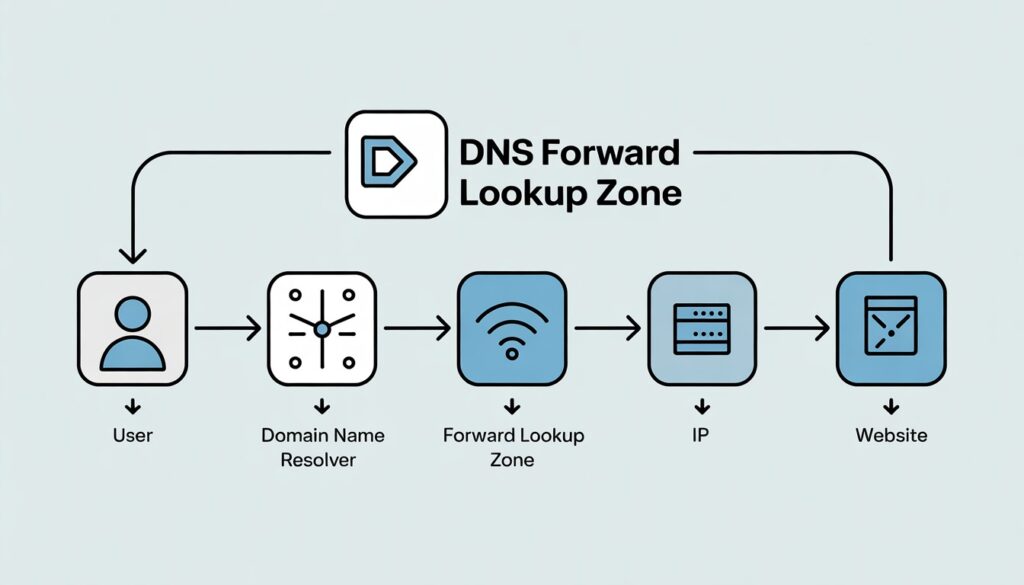
Understanding the flow of DNS resolution is crucial for grasping the importance of the forward lookup zone. Here’s a practical walkthrough:
- User Request: You type example.com in a browser.
- DNS Resolver: The local DNS resolver queries the DNS server.
- Forward Lookup Zone Check: The server searches for a matching record in the forward lookup zone.
- IP Resolution: If an A or AAAA record exists, the server returns the IP.
- Website Access: Your browser uses the IP to connect to the server.
This flow illustrates why forward lookup zones are indispensable in both internal networks and internet-facing services.
DNS Records in a Forward Lookup Zone
A forward lookup zone isn’t just one record. It contains various DNS records, each with a specific purpose:
| Record Type | Purpose |
| A | Maps domain to IPv4 address |
| AAAA | Maps domain to IPv6 address |
| CNAME | Provides an alias for another domain |
| MX | Directs email routing |
| NS | Identifies authoritative name servers |
| TXT | Holds verification and SPF data |
| SRV | Locates services like LDAP or SIP |
Including all these record types ensures full network functionality, whether for web hosting, email servers, or internal services.
Tip: Always use consistent naming conventions to prevent conflicts and misrouting.
Forward Lookup Zone vs Reverse Lookup Zone
Users often confuse forward and reverse lookup zones. Here’s a comparison table:
| Forward Lookup | Reverse Lookup |
| Maps domain → IP | Maps IP → domain |
| Required for web & email | Optional; used for logging & security |
| Most commonly used | Less common |
| Uses A/AAAA records | Uses PTR records |
Forward lookup is mandatory for most operations, while reverse lookup is often used for auditing and troubleshooting.
Forward Lookup Zone in Windows Server
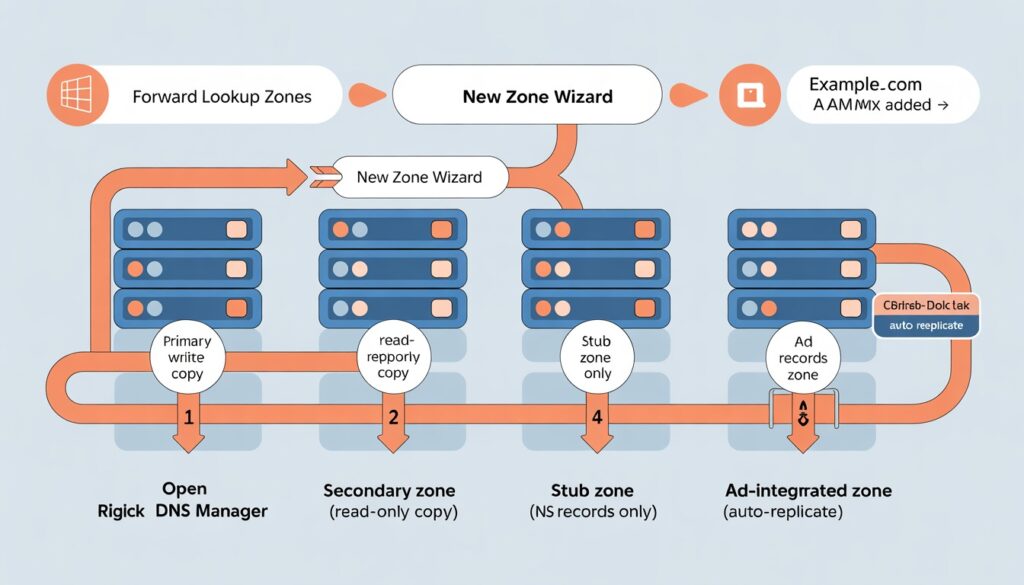
Windows Server provides graphical and administrative tools for managing forward lookup zones:
Types of Forward Lookup Zones:
- Primary Zone: Read-write copy of the zone.
- Secondary Zone: Read-only copy from another server.
- Stub Zone: Contains only NS records for delegating authority.
- AD-Integrated Zone: Stored in Active Directory, replicated automatically across domain controllers.
Practical Steps:
- Open DNS Manager.
- Right-click Forward Lookup Zones → New Zone.
- Choose type (Primary, Secondary, Stub, or AD-integrated).
- Enter domain name and configure records.
Forward Lookup Zone in Linux (BIND)
Linux systems, especially using BIND, manage forward lookup zones differently:
Example Zone:
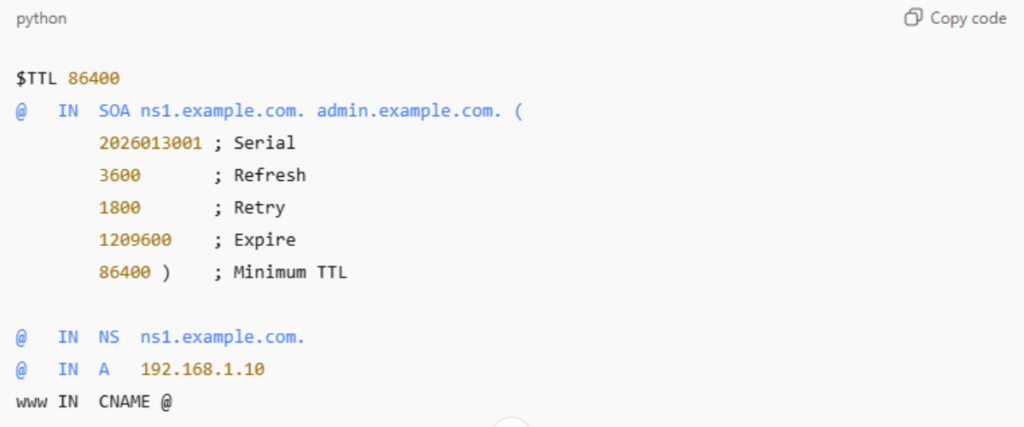
Proper configuration ensures fast resolution, redundancy, and security
Real-World Example of a Forward Lookup Zone
Imagine a company intranet:
- Website: intranet.company.local → A record → 10.0.0.5
- File Server: fileserver.company.local → A record → 10.0.0.10
- Email Server: MX → mail.company.local
If the forward lookup zone is misconfigured:
- Websites fail to load
- Emails bounce
- Network resources become unreachable
This illustrates why accuracy in DNS records is critical.
Common Problems with DNS Forward Lookup Zones
Even experts encounter issues:
- Incorrect A records: Website fails
- TTL misconfigurations: Slow updates
- Zone not replicated: Out-of-date info
- DNS cache issues: Temporary resolution failures
- Server unresponsiveness: No queries resolved
Solution Tips:
- Use nslookup or dig to test records
- Flush caches after changes
- Replicate zones in AD or secondary servers
Best Practices for DNS Forward Lookup Zones
- Use clear and consistent hostnames
- Optimize TTL for performance
- Backup zones regularly
- Implement monitoring for resolution failures
- Avoid duplicate or conflicting records
Following these practices ensures stability, reliability, and security.
When Should You Use a Forward Lookup Zone?
Good Fit:
- Hosting websites or internal applications
- Running email servers
- Managing enterprise networks
Not Needed:
- Static IP setups without DNS
- Temporary lab environments
Decision Insight: If your network relies on domain names rather than IP addresses, a forward lookup zone is essential.
Conclusion
A DNS forward lookup zone is the backbone of network name resolution. From mapping domain names to IPs, handling web traffic, to routing emails, it’s essential for both public and private networks.
Proper setup, troubleshooting, and best practices ensure network reliability and performance.
Understanding when to use it and how to configure it in Windows or Linux makes you a more effective network administrator or IT professional.
FAQs
What is a forward lookup zone in DNS?
A forward lookup zone maps domain names to IP addresses. It ensures users and applications can find network resources efficiently.
What is the difference between forward and reverse DNS?
Forward maps domain → IP, while reverse maps IP → domain, typically for auditing and troubleshooting.
Is a forward lookup zone required?
Yes, for almost all network operations involving domain names.
How do I check a forward lookup zone in Windows?
Open DNS Manager → Forward Lookup Zones → Check records. Alternatively, use nslookup domain.com.
What records are stored in a forward lookup zone?
A, AAAA, CNAME, MX, NS, TXT, and SRV records.