When you build a WordPress website, plugins are like small tools that add extra power. From SEO to contact forms, plugins make everything easier.
But many site owners want to go further. They want to create their own plugins. That is where WordPress plugin development comes in. It may sound complex, but with the right steps, anyone can learn it.
In this complete guide, you will understand what plugin development is, why it is useful, and how to start creating your own plugins in a simple way. For more insights on startup tech and digital growth explore the Rteetech homepage.
What is WordPress Plugin Development?

A plugin is like a small package of code that you can add to WordPress to expand its functions. Instead of changing the WordPress core, you simply add a plugin.
With WordPress plugin development, you write your own code to build custom features for your site. It can be something as simple as a custom button, or as advanced as a full eCommerce system.
Plugins make WordPress flexible. Thousands of free and premium plugins exist, but sometimes they do not fit your exact needs. That is when creating your own plugin is the best option.
Why is Plugin Development Important?
There are many reasons to learn WordPress plugin development. It gives you freedom and control over your website. Here are the main benefits:
- You can add features that do not exist in ready-made plugins.
- You control how your website behaves without depending on others.
- You can improve performance by building a light plugin with only what you need.
- You can share or sell your plugin to others and grow your business.
For developers, plugin development also means more opportunities. Many WordPress businesses grow only because of custom plugins.
How Does a Plugin Work in WordPress?
A plugin works by connecting to WordPress through hooks and filters. Hooks are like signals that allow your plugin to run code at specific times.
Filters allow your plugin to change data before it is displayed. This simple system makes it possible to build very powerful plugins.
For example, a plugin can use a hook to add a message after every blog post. Or it can use a filter to change how a title is shown. These small steps build the foundation of every plugin.
Steps to Start WordPress Plugin Development
Starting plugin development may feel complex, but breaking it down into steps makes it easy:
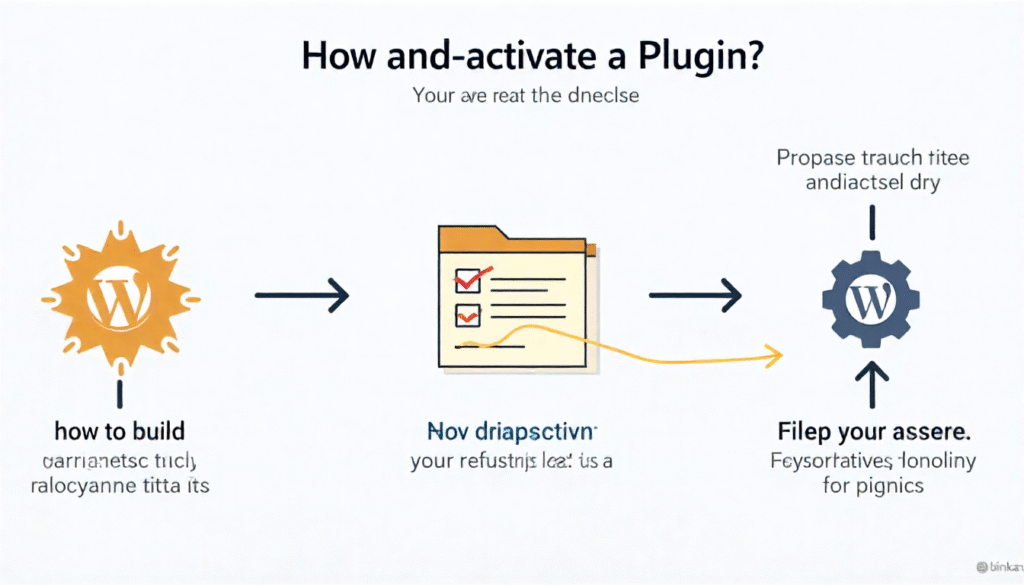
- Set up a local development environment: Use tools like XAMPP or Local to run WordPress on your computer.
- Create a plugin folder: Inside wp-content/plugins, create a folder with your plugin name.
- Build the main PHP file: Every plugin needs a main file with a simple header comment.
- Write basic code: Add functions that use hooks or filters.
- Activate the plugin: Go to the WordPress admin dashboard and activate it.
- Test and improve: Keep testing and updating until your plugin works smoothly.
Basic Plugin
Here is a small example of a plugin that displays a custom message:
<?php

/*

Plugin Name: Custom Message Plugin

Description: A simple plugin that shows a custom message.

Version: 1.0

Author: Your Name

*/

function custom_message() {

  echo '<p>Thank you for visiting our site!</p>';

}

add_action('wp_footer', 'custom_message');
This plugin adds a thank-you note at the bottom of every page. It shows how simple plugin development can be.
Table: Key Elements of WordPress Plugin Development
| Element | Purpose |
| Plugin folder | Stores all files related to your plugin |
| Main PHP file | Entry point with plugin header and main code |
| Hooks | Run code at certain points in WordPress |
| Filters | Change data before showing on the site |
| Functions | Define the tasks your plugin performs |
| Activation/Deactivation | Handles setup or cleanup when plugin is activated or removed |
Best Practices in Plugin Development
Building a plugin is not just about writing code. You also need to follow best practices to make it secure and effective:
- Always use clean and clear code.
- Follow WordPress coding standards.
- Avoid hardcoding values. Use settings for flexibility.
- Test on different devices and browsers.
- Keep security in mind and sanitize user input.
- Update your plugin regularly.
Advantages of Creating Your Own Plugin
Creating your own plugin gives you freedom and flexibility. You are not limited to what others have built. You can make your site unique, improve speed, and even create a product to sell. Businesses can turn custom plugins into income by offering premium versions.
For developers, learning WordPress plugin development increases skills, opens new job opportunities, and builds reputation in the community.
Disadvantages of Plugin Development
Like everything, plugin development has some challenges. It requires time, practice, and coding knowledge. Mistakes in your plugin can break your site.
If not updated, a plugin may cause conflicts with new WordPress versions. Also, building a complex plugin can take a lot of effort. However, with patience and the right steps, these challenges can be managed.
Common Mistakes
Many beginners make mistakes when they start plugin development. Some common ones include:
- Not following coding standards
- Forgetting to sanitize input, causing security issues
- Writing too much code in one file instead of using separate files
- Not testing before publishing
- Ignoring performance and creating heavy plugins
Avoiding these mistakes will save time and improve quality.
Advanced Tips for WordPress Plugin Development
Once you know the basics, you can explore advanced steps:
- Use custom database tables when needed
- Create settings pages for user control
- Add shortcodes for flexible content placement
- Support translation and multiple languages
- Use object-oriented programming for larger plugins
- Integrate with APIs for extended features
These steps make your plugin more professional and valuable.
WordPress Plugin Development for Business Growth
For freelancers and agencies, plugins are not just tools, they are products. Many developers build plugins and sell them in marketplaces like code-canyon or offer them on their own websites.
Free plugins can also attract users who later buy premium upgrades. This makes WordPress plugin development a strong business opportunity.
Final Thoughts
WordPress plugin development is both simple and powerful. It allows you to create custom features, improve performance, and even start a business. With small steps, anyone can learn to build a plugin. Start simple, follow best practices, and grow over time.
A single plugin idea can change your entire website experience. learn more about our SEO for business growth strategies instead of just “Rteetech LCC”
FAQs
What is WordPress plugin development?
It is the process of creating custom plugins that add new features to WordPress.
Do I need coding skills to develop a plugin?
Yes, basic knowledge of PHP, HTML, and CSS is required.
Can I sell my WordPress plugins?
Yes, you can sell premium plugins or offer free ones with paid upgrades.
How do I test my plugin?
Use a local WordPress environment and check on different browsers and devices.
What language is used in WordPress plugin development?
Mostly PHP, with HTML, CSS, and JavaScript for extra features.
Can plugins slow down a WordPress site?
Yes, poorly coded plugins can reduce speed, so always optimize.
How do I update my plugin for new WordPress versions?
Test your plugin after updates and make changes if needed.
Is plugin development good for beginners?
Yes, starting with small plugins is a great way to learn coding and WordPress basics.