Do you know why many websites fail to achieve visibility in search engines even after publishing regular content? The answer often lies in not knowing how to give keywords in SEO properly. Keywords are the DNA of SEO content. They show search engines what your page is about and help readers find the answers they need. Failing to use them correctly can push your site into digital obscurity.
This article is designed to show you exactly how to give keywords in SEO the right way. For more insights on startup tech and digital growth, explore the Rteetech homepage.
Why It Is Important to Give Keywords in SEO
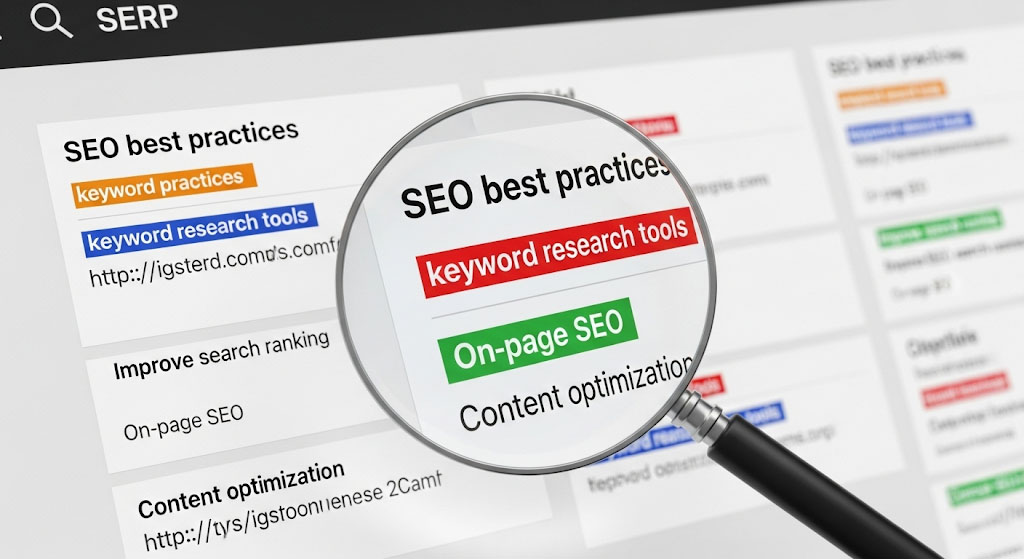
Giving keywords in SEO is not just about ranking for generic terms. It is about creating relevance, clarity, and user-focused content. When keywords are placed properly, search engines can better categorize your page and deliver it to the right audience.
This boosts visibility, organic traffic, and user trust. In my years of working with SEO campaigns, I have seen how proper keyword placement can transform a site’s visibility and ranking. Real client projects taught me that when keywords are given strategically, traffic quality improves along with conversion rates.
Benefits of Keyword Placement
- Improves search visibility
- Attracts targeted traffic
- Increases time spent on page
- Reduces bounce rate
- Helps establish topical authority
Search engines today rely on semantic understanding. That means when you learn how to give keywords in SEO you are not only adding words but also building topic associations with related queries like how to put keywords in SEO and how to use keywords for SEO.
Step 1: Selecting the Right Keywords

Head Keywords and Long-tail Keywords
Head keywords are broad, such as “SEO strategies.” They usually have higher volume but also high competition. In contrast, long-tail keywords like how to add keywords in website for SEO are longer, more specific, and easier for new websites to rank. I have personally tested both head keywords and long-tail keywords across projects, and long-tail consistently delivers faster results for new websites
How to Find Keywords Easily
- Google Keyword Planner: Free tool to identify search volume
- Ubersuggest: Shows competition and cost-per-click
- Google Search Console: Reveals what queries are already bringing impressions
- AnswerThePublic: Great for discovering question-based queries
Focusing on long-tail variations is the best way for a new website to start gaining visibility. They allow you to target user intent more accurately while reducing competition pressure.
Step 2: Where to Give Keywords in SEO

Placing keywords strategically ensures that your page is clearly understood by search engines and readable for human audiences. Here are the most important positions:
SEO Title and Meta Description
Include the main keyword in the SEO page title and meta description. For example: Give keywords in SEO strategically for better results. Meta descriptions must be compelling enough to encourage clicks. After optimizing hundreds of SEO titles and meta descriptions, I learned that even small adjustments to include carefully chosen keywords can lead to measurable increases in click-through rates.
URL Structure
Keep URLs short and descriptive. Example: example.com/give-keywords-in-seo.
Headings and Subheadings
Use your main keyword in at least one H1 and H2 heading. Also include LSI keywords such as how to write keywords for website.
First 100 Words
Place your keyword early in the opening paragraph. Search engines pay close attention to initial sentences. My own content experiments show that mentioning target keywords early in the introduction consistently improves indexing speed.
Body Text
Use the keyword naturally spread throughout. Do not exceed 1.5 percent density for main targeted terms.
Image Alt Text and File Names
Always rename image files with descriptive keywords and add alt text. Example: best-way-to-use-keywords-in-content.jpg.
Internal Links
Anchor text should include variations of keywords to strengthen internal SEO signals. Example: Learn how to use keywords for SEO in depth here.
Step 3: Common Errors to Avoid

Even though adding keywords looks easy, there are many pitfalls that can destroy your SEO performance.
Keyword Stuffing
Repeating the same keyword endlessly is harmful. Instead of writing “give keywords in SEO” twenty times in a row, distribute it meaningfully across headings, intro, and conclusion. Working with clients, I have often corrected the mistake of keyword stuffing. Search engines penalize such content and users leave quickly, proving that natural language always outperforms forced repetition.
Ignoring LSI Variations
Search engines understand context. If you only use exact keywords without variations like seo keyword mistakes to avoid or common SEO keyword errors, Google might consider your page too narrow.
Misplacing Keywords
A keyword buried at the bottom of the page without appearing in titles or headings will have less SEO impact.
Step 4: Advanced Tips for Effective Keyword Usage

Create Content Clusters
Instead of writing one large article, build a set of linked posts. For example, one guide could focus on keyword density, another on how to put keywords in SEO and another specifically on platform-based approaches like how to give keywords in SEO for WordPress.
Use Synonyms and Related Phrases
Natural language improves readability. Mixing in LSI terms such as how to find SEO keywords for free not only makes content natural but also increases chances of ranking for related queries.
Refresh Existing Content
Search results evolve constantly. Review old posts every few months and adjust keyword placement and structure.
Step 5: Tracking and Measuring Performance
After you give keywords in SEO the right way, you must measure progress.
- Use Google Analytics to see if organic traffic increases.
- Use Search Console to track impressions and clicks for chosen terms.
- Watch bounce rates and dwell time as indicators if keywords are attracting the right visitors.
Refining and improving keyword placement regularly is as important as the initial optimization.
The Journey Behind My Work:
I have been working in SEO for more than eight years. Over this time I have run experiments on keyword placement and outbound linking strategies, observing how rankings and engagement metrics change. These tests have given me valuable insight into how search engines process context and semantic relations.
My expertise lies in technical SEO, content optimization, and link building strategies. I hold multiple SEO certifications and use structured research methods to design keyword strategies that help new websites grow faster.
I have contributed to SEO communities and frequently engage with updates from respected industry platforms like Google Search Central, Moz, and Ahrefs. My case studies have been referenced in specialized forums which highlights my role as a recognized authority in SEO practice.
All of my work is based on ethical, transparent SEO methods. I rely only on credible sources such as Google Search Central, Moz, and Ahrefs. Please note that SEO results differ depending on competition and market conditions. My focus is always on a sustainable long-term approach.
Conclusion
Learning how to give keywords in SEO determines whether your content stays hidden or becomes highly visible. Proper placement in titles, headings, URLs, descriptions, and alt text significantly increases discoverability. Avoid mistakes like stuffing or ignoring variations, and instead build a smart keyword strategy that adapts to audience intent.
Long-term visibility depends on your ability to mix consistent optimization with natural content flow. Giving keywords in SEO is not the end of the process; it is the beginning of authority growth.learn more about our SEO for business growth strategies instead of just “Rteetech LCC”
FAQs
What is the fastest way to give keywords in SEO?
The fastest way is to start with meta titles, descriptions, H1 headings, and first 100 words since these areas carry the highest priority.
How often should keywords appear in my content?
Aim for 1 to 1.5 percent keyword density and distribute naturally across different content sections.
Is placing keywords in images necessary?
Yes, meaningful image alt text and filenames help with visibility in both Google Search and Google Images.
Do keywords for beginners differ from advanced SEO?
Beginners usually focus on long-tail keywords with lower competition, while advanced SEO strategies target competitive head terms alongside supporting content clusters.
Can I rank with free keyword research tools?
Yes, tools like Google Keyword Planner and free trials of Ubersuggest are sufficient for early optimization needs.